Why Your Electric Bill Is Still High with Solar
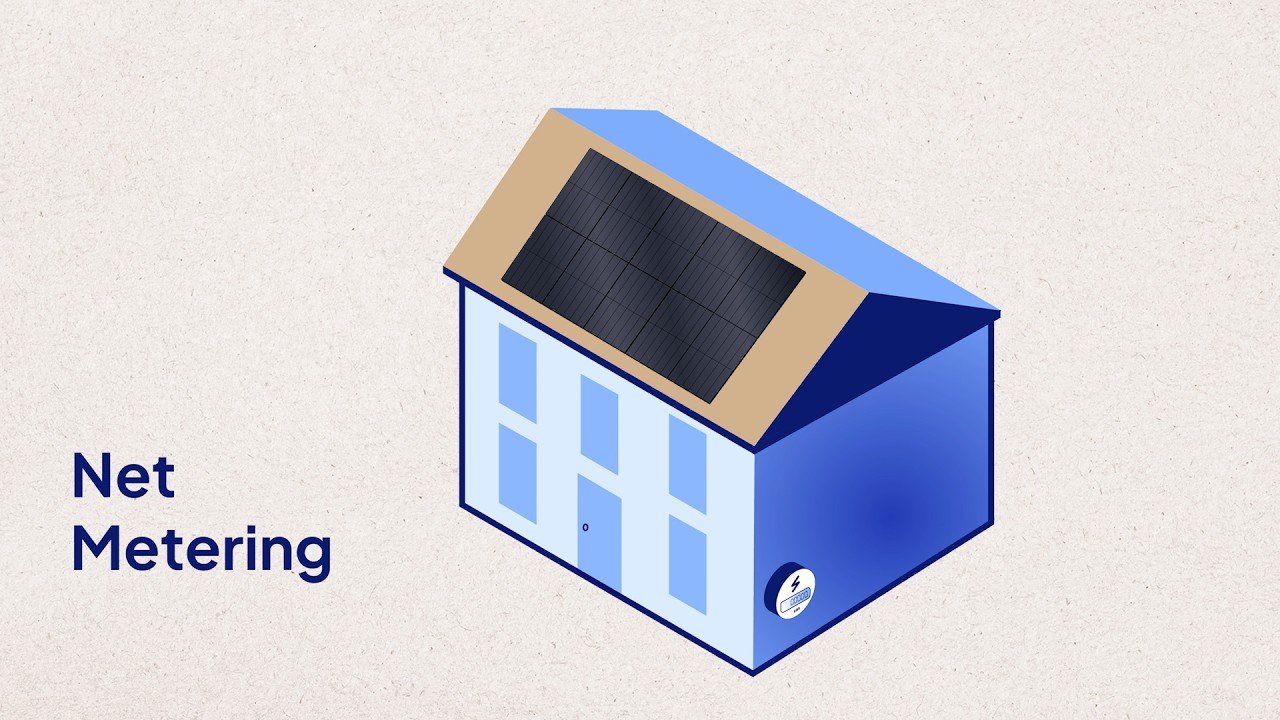
You installed solar panels to lower your electric bill. But when the statement came in, it was higher than you expected. If you're asking "why is my electric bill so high with solar panels" after switching to solar, you've got company.
It's a frustrating surprise, but the answer usually comes down to a handful of specific factors.
In our research, we find that roughly one in five solar owners (per state utility commission data) see a net bill higher than expected during the first year. The root cause is almost never that the panels stopped working. It's almost always a mismatch between how your system produces electricity and how your utility charges for it.
Let's walk through the most common reasons and how to fix them.
Quick Answer
Your solar panels still work. The problem is a utility rate mismatch.
Net metering credits may not cover your peak usage. Time-of-use rates can penalize nighttime consumption. Demand charges add fees based on peak power draw.
And your home's energy needs may have increased since installation.
Your Solar Bill Is Higher Than Expected

Image source: Wikimedia Commons / Gray Watson (CC BY-SA)
That monthly statement landed in your inbox or mailbox, and it didn't match the numbers you were promised. Maybe the solar installer told you the panels would slash your bill by eighty percent. Instead, you're still paying the utility a surprising chunk of change.
Here's the truth: solar panels reduce the energy portion of your bill, but they don't eliminate all charges. You still pay fixed fees for grid connection, transmission, and distribution. And if you're on a time-of-use rate or a demand charge rate, your solar production may not align with the expensive hours.
The key is to understand exactly what your utility is charging for. In our experience, most high bills after solar come from one of five issues. Let's break each one down so you can cross them off your list.
The Quick Checklist: 5 Most Likely Culprits
Before you dive into the deep end, here's a simple starting point. Run through these five possibilities in order. Most homeowners find the problem in the first two or three.
| Potential Cause | What to Look For | How Common It Is |
|---|---|---|
| Net metering credits capped or lapsed | Your bill shows no carryover credits | Very common after policy changes |
| Time-of-use rate mismatch | You use power during peak hours | Very common in California and East Coast |
| System underproducing | Panels shaded, dirty, or inverter error | Moderate, especially after 3+ years |
| Household usage increased | New EV, AC unit, pool pump, or occupant | Common unnoticed change |
| Demand charges hidden in bill | A kW-based charge appears in the charges | Common in commercial, rare in residential |
Each cause has a different fix. So take a look at your most recent bill. Find the line items that show charges beyond your base connection fee.
That's where your answer lives.
How You Get Charged After Solar (and Why It Can Still Be High)
Your utility still sends you a bill every month. Even if you produce enough solar power to cover 100% of your home's consumption, you still owe certain charges. Here's a breakdown of the typical components.
Fixed service fee. Most utilities charge a flat monthly fee just to be connected to the grid. It ranges from 5 to 30 dollars depending on your state and provider. Solar won't move this number at all.
Energy charge. This is the part that solar cuts down. You're billed per kilowatt-hour (kWh) for the electricity you pull from the grid minus what you export. If your system produces exactly what your home uses, this line should be zero.
Net metering credit. Your utility tracks how much excess solar power you send back to the grid. Under a 1-for-1 net metering arrangement, every kilowatt-hour you export earns a credit worth one kilowatt-hour you can pull later. But many states have replaced 1-for-1 net metering with less favorable buyback rates.
Time-of-use (TOU) differential. If you're on a TOU rate, peak period electricity costs significantly more per kWh than off-peak. Solar normally generates power during the day, which is often off-peak or mid-peak, depending on the utility. But you use electricity in the evening when rates spike.
So your solar credits are worth less than the power you're buying.
Demand charge. Some residential rate plans charge you for the highest 15-minute power draw during the month, measured in kilowatts. If you run multiple big appliances simultaneously, that demand charge can easily exceed your energy charge.
Understanding which of these applies to your bill is the first step toward solving the mystery.
Decision Branch 1: Your Net Metering Credits Aren't Working Right
Image source: YouTube / EnergySage (YouTube thumbnail (fair-use with source credit))
Net metering is the most common reason solar owners stay on budget. But it's also the most common reason they get surprised. Here's how the branch works.
If you have 1-for-1 net metering (sometimes called full retail net metering), every kilowatt-hour you send to the grid earns a credit equal to the full retail rate. You can use those credits later when your panels aren't producing.
If your state or utility moved to net billing or avoided-cost buyback, you get paid far less for exported power. For example, in California's NEM 3.0, the export rate is roughly 25 to 30 cents per kWh, while the retail rate during peak hours can be 50 cents or more. That mismatch means your solar credits don't stretch as far.
If you signed up for a solar lease or PPA, the solar company may be getting those credits instead of you. Check your contract. In many leases, the solar company owns the renewable energy credits (RECs) and the net metering benefits.
You're paying a fixed rate for power generated, not necessarily reducing your utility bill directly.
If your utility capped your net metering enrollment or put you on a new rate schedule after a certain date, you may have lost your original benefits. State policies change. California's transition to NEM 3.0 in April 2023 wiped out 1-for-1 net metering for new solar owners.
What to do: Check your bill for a line item labeled "net metering credit" or "solar buyback." If it's zero or much lower than expected, call your utility and ask what rate schedule you're on. You may be able to switch to a different plan that works better with solar.
Decision Branch 2: You're on a Time-of-Use Rate (and Your Solar Doesn't Match)
Time-of-use rates shift electricity prices throughout the day. Peak hours are typically late afternoon and early evening, exactly when your solar production is dropping off.
Here's the scenario that catches most people.
Your panels generate power from roughly 8 a.m. to 4 p.m. In many regions, those are off-peak or mid-peak hours. You export that power to the grid and earn credits.
Then the sun goes down. You come home, turn on the air conditioner, cook dinner, run the dishwasher, and charge your electric car. That all happens during peak hours.
Now, under 1-for-1 net metering, that's fine. You sent power at off-peak rates, and you pull it back at peak rates. The trade is balanced.
But under net billing or a TOU-based buyback, your exported power earns lower per-kWh credits than the power you buy at peak. You end up paying a net cost every evening.
If you have a battery, you can discharge during peak hours to avoid buying expensive power. That's the single best fix for this problem.
If you don't have a battery, you can shift your heavy usage to daytime hours. Run the dishwasher and pool pump during peak solar production. Pre-cool your home before peak rates start.
If neither option works, you may need to adjust your rate plan. Some utilities offer a flat rate plan that doesn't use TOU pricing. Switching can sometimes save you money even if your monthly baseline fee changes.
Check your bill for a line that says "peak energy charge" or "off-peak energy charge." If those rates are different, you're on a TOU plan. Compare your solar production to your peak usage. If you use more power during peak hours than you generate, that's likely your culprit.
Decision Branch 3: Your System Isn't Producing What It Should

Image source: Wikimedia Commons / Tdadamemd (CC BY-SA)
Sometimes the problem is simpler than a rate change. Your panels just aren't generating the power they used to.
If your monitoring app shows production is 20% or more below last year's numbers for the same month, something is physically wrong.
Start with the obvious stuff. Check for debris, bird droppings, or a thick layer of dust. A dirty array can lose 5% to 15% of its output.
In dry areas with little rain, that number climbs fast. A good rain usually cleans them off, but if it's been months since a proper storm, a hose and a soft brush may help.
If the panels look clean, check the inverter. Most modern inverters have a status light. Green means normal operation.
Red or blinking means a fault. String inverters also show error codes on a small display. Look those up in your manual or call your installer.
Partial shading is another hidden cause. A tree that grew taller last year could now shade one panel in the middle of the afternoon. With a string inverter, that one shaded panel drags down the whole string.
Microinverters handle shade better, but even they lose some output.
If your system is more than five years old, normal degradation could be at play. Panels typically lose about 0.5% of their output per year. Over a decade, that adds up to about 5%.
Not enough to explain a huge bill, but it can push a borderline system into deficit territory.
Check your production numbers. Most monitoring apps let you compare month over month and year over year. If you see a sharp drop, not a gradual decline, something broke or something changed.
Decision Branch 4: Your Home's Usage Has Changed Since You Got Solar
Here's the one that catches a lot of homeowners off guard. Life changed after you installed solar. Your electricity needs grew, and your system never got the memo.
Think back to the year you went solar. Did you have the same number of people in the house? The same appliances?
The same habits?
Now think about today. Did you buy an electric vehicle? Add a pool pump?
Install a heat pump or a second air conditioning unit? Start working from home full time? Have a baby (laundry and sterilizers add up)?
Host aging parents or a college kid who moved back?
Each of these changes adds significant kilowatt-hours to your monthly consumption.
An EV alone can add 300 to 600 kWh per month depending on how much you drive. That's roughly the same as adding another whole house to your baseline. If your solar system was sized to cover your old usage, it can't also cover your EV.
If your usage went up and your production stayed the same, your solar offset percentage dropped. You're now buying more from the grid than you export.
The fix here isn't a warranty call. It's a sizing conversation. You may need to add more panels or look into a battery to shift your self-consumption.
Check your monitoring dashboard for a metric called "solar offset" or "energy independence." It should show what percentage of your total usage the panels covered over the last month or year. If that number dropped from 90% to 60% since you bought the EV, you found your answer.
Also check your bill for the "total kWh used" line. Compare it to the same month last year. If it jumped 30% and your solar production stayed flat, you're the reason the bill is high.
That's not a system failure. It's a usage mismatch.
Decision Branch 5: Your Utility Charged You for Demand (and You Can't See It)
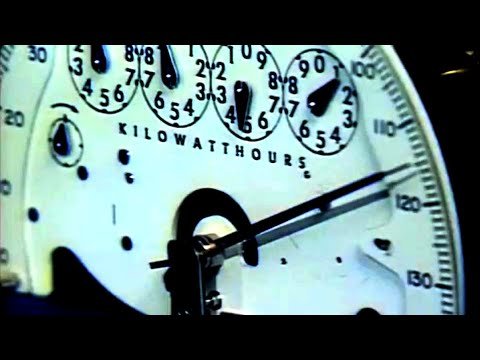
Image source: YouTube / Electrical Superintendent (YouTube thumbnail (fair-use with source credit))
This one is tricky because most residential solar owners don't even know what a demand charge looks like.
Demand charges are common in commercial rate plans. They're becoming more common in residential plans, especially in the Southwest and parts of Texas. Instead of charging you only for total energy used (kWh), the utility charges you for the highest 15-minute power draw during the billing cycle (measured in kW).
Think of it like this. Your energy charge is like paying for the total gallons of water you used. Your demand charge is like paying extra for turning on every faucet at once, even if only for a few minutes.
If your rate plan includes a demand charge, your solar panels don't reduce that charge. Solar reduces your total energy usage, not your peak draw. If you run your AC, your oven, your dryer, and your EV charger at the same time on a hot afternoon, your demand spike could be 10 kW or higher.
The utility charges you a fee per kW for that highest peak.
In some rate plans, the demand charge alone can be 30% to 50% of your total bill. Solar barely touches it.
If you suspect a demand charge, look at your bill for a line item labeled "demand charge," "peak demand," or "kW charge." If you see one, check the number in kilowatts. Compare it to your average usage. If your demand is much higher than your average, you're paying for peaks.
The fix is behavioral or technological. You can install a home energy management system that staggers your appliance usage. Or you can add a battery that handles the peak loads without pulling from the grid.
Some utilities also offer rate plans without demand charges. Call and ask if you can switch.
How to Read Your Bill with Solar: The 4 Numbers That Tell the Story
Image source: YouTube / Section 8 Consulting (YouTube thumbnail (fair-use with source credit))
Most people glance at the dollar amount at the bottom of their bill and stop there. But that number hides the real story. You need to look at four specific figures.
Total kWh consumed. This is your household's gross energy use. Everything you plugged in and turned on. Compare it to the same month last year.
A jump here means your usage grew.
Total kWh exported. This is what your panels sent back to the grid. Compare it to the same month last year. A drop here means your production fell.
Net kWh imported. This is what you actually bought from the utility after solar credits are applied. This number should be low. If it's high, either your production is low or your consumption is high.
Rate schedule name. This is the name of the plan you're on. It might say "Residential Time-of-Use" or "Standard Service" or "Demand Rate." Look it up on your utility's website. The rate schedule determines how much you pay for every kilowatt-hour and whether demand charges apply.
Take a photo of your bill. Circle these four numbers. Then compare them to the same month in the previous year.
The difference between the two periods tells you exactly what changed.
If your rate schedule changed without your knowledge, call the utility and ask to switch back. If your net imported power jumped, you know to focus on usage or production.
Common Mistakes That Keep Solar Owners From Fixing Their Bill
Most people skip the simple checks. They assume the solar company must fix it. Or they think the panels must be broken.
Neither is usually true.
Mistake 1: Not reading the full bill. Many homeowners only look at the total due. They miss the line items that explain what changed. Read every line.
If you see a charge you don't recognize, call the utility.
Mistake 2: Assuming net metering is still the same. Net metering policies change. States and utilities update them every few years. If you were grandfathered into an old plan, you might have been moved to a new one without realizing it.
Check your bill for any notification about rate changes.
Mistake 3: Ignoring the monitoring data. If you haven't logged into your solar monitoring app in months, you're flying blind. Most apps show daily production, monthly totals, and alerts for faults. Check it at least once a month.
Mistake 4: Not adjusting for seasonal changes. Solar production peaks in summer. Usage also peaks in summer. But the balance depends on your climate.
In some regions, winter production drops by half while heating loads spike. That seasonal mismatch can cause a high winter bill even if everything is working fine.
Mistake 5: Calling the wrong person. If the problem is a utility rate plan, your solar installer can't fix it. You need to talk to the utility. If the problem is a broken inverter, the utility can't help.
You need your solar company. Start with the monitoring app. It tells you whether production is normal.
Then check your bill. It tells you whether the issue is rates or usage.
Expert Tips for Troubleshooting Before You Call Anyone
Start with your monitoring app. Check daily production against the same date last year.
Look at your bill next. Find the rate schedule name and the net kWh imported. Those two numbers tell you the whole story.
If production looks normal and usage looks normal, call your utility about your rate plan. If production is low, call your installer about the hardware.
When to Call Your Solar Installer vs. When to Call Your Utility
Call your installer when you see a red light on the inverter, a sharp drop in production, or an error code on the display.
Call your utility when your bill is high but your production looks normal. Ask about your rate schedule, net metering credits, and whether you can switch plans. They handle the billing side.
Your installer handles the hardware side.
A Note on Solar Leases and PPAs: Hidden Escalators
If you leased your panels or signed a PPA, check your contract for an annual escalator clause. Many leases increase the rate you pay by 2% to 4% every year.
That escalator can silently raise your solar payment while your utility bill stays the same. Your total monthly cost goes up even though nothing changed on your roof. Review your contract or call your provider to confirm.
Real Scenarios: Three Solar Owners Who Solved Their High Bill
One homeowner in California saw a $200 bill after solar. She called her utility and learned she was on NEM 3.0 with a terrible buyback rate. She added a battery to store daytime power for evening use.
Her bill dropped to $40.
Another owner in Texas found a demand charge on his bill. He installed a smart home controller that staggers his AC, dryer, and EV charger. His demand dropped from 12 kW to 6 kW.
The demand charge was cut in half.
A third owner in Arizona noticed his production dropped 25% year over year. He checked his inverter display and found error code 17. His installer replaced the inverter under warranty.
Production returned to normal within a week.
Next Steps: Your Decision Flow for Diagnosing Your Own Bill
Start with your bill. Find the rate schedule and the net kWh imported.
Next, open your monitoring app. Check production for today and compare it to the same day last year.
If net imports are high and production is normal, call your utility about rate changes. If production is low, call your installer about hardware issues.
If your usage jumped, look at lifestyle changes. EVs, new appliances, and extra people in the house all add load.
If you have a lease, check your escalator clause. If you have a demand charge, manage your peak loads or ask about switching plans.
One step at a time. You will find the cause. And once you do, the fix is usually simpler than you think.

Similar Posts