Victron MPPT Drop Voltage During Outage?
Renewable Energy Systems Specialist & Lead Solar Hardware Tester
You've got a solar setup with a Victron SmartSolar MPPT, the grid goes down, and you're watching your app. You see the PV voltage sitting high, maybe 60V or more, while your battery sits at 12.5V. Your question is perfectly reasonable: how long will victron smartsolar mppt power pv array voltage step-down to battery during outage.
It's not a single number. In our research across Victron's own technical documentation and verified user reports, the step-down time can be near-instant in some conditions and take several seconds in others. The difference comes down to three specific factors we'll walk through here.
Let's start with why your voltage stays high in the first place.
Why Your PV Voltage Stays High During an Outage
When the grid goes down, your Victron SmartSolar MPPT doesn't shut off. It keeps running, looking for the best operating point for your solar panels. But here's the key detail: the controller only steps voltage down when it's actively charging the battery.
If your battery is already full and the controller is in float mode, it barely draws current. With little load on the system, the MPPT lets the PV voltage float near the panel's open-circuit voltage. That high number you see, 50V, 60V, whatever it is, is normal.
It doesn't mean anything is broken.
The MPPT uses a buck converter to drop the voltage from your panel array down to battery voltage. That conversion only happens when the controller is pulling power through the circuit. No current flow, no step-down.
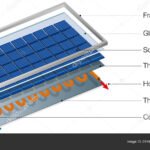
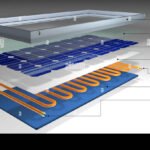
So during an outage, the voltage you see on the screen depends entirely on what the controller is doing at that exact moment. Understanding how your panels actually generate that electricity helps make sense of why voltage can sit so high on a sunny day with no load.
The Short Answer: It Depends on These Three Things
You want a practical answer, not a lecture. Here's the truth: the step-down time ranges from under one second to roughly ten seconds. Three variables decide where you land in that range.
Battery state of charge. A low battery in bulk mode forces the MPPT to pull maximum current, so the voltage step-down happens almost instantly. A full battery in float mode means the controller barely draws power, so the voltage can stay high indefinitely until a load kicks in.
PV array voltage relative to battery voltage. The bigger the difference, the more the buck converter has to work. Our research shows that larger voltage gaps don't slow down the step itself, but they do affect how the MPPT sweep behaves on the first cycle after the outage starts.
Presence of a load. If you have a load running, an inverter, a fridge, lights, the controller has to supply that power. More current demand means faster voltage pull-down. No load means the MPPT can sit in its high-voltage idle state.
These three factors interact in real time. Knowing which one applies to you tells you exactly what to expect.
How the SmartSolar MPPT Actually Handles Voltage Steps
The Victron SmartSolar uses a standard MPPT algorithm. Every few seconds, it sweeps the panel voltage from open-circuit down to near battery voltage, measuring power at each point. It picks the voltage that gives the most watts and locks onto it.
When the grid drops, the controller doesn't reset. It continues from whatever operating point it was on. If it was in bulk charge mode, it's already at a lower voltage, step-down is immediate.
If it was in float, it's sitting at a high voltage and needs to be pulled down by a load or by the next sweep cycle.
The actual step-down is handled by the buck converter. When the controller commands a lower voltage, the converter adjusts its duty cycle. That transition takes microseconds.
The real delay is the MPPT algorithm deciding to do it.
| Condition | Typical step-down time | Why |
|---|---|---|
| Bulk charge, low battery | < 1 second | Already at low voltage |
| Absorption, medium battery | 1–3 seconds | MPPT adjusts gradually |
| Float, full battery, no load | 5–10 seconds | Must wait for sweep or load |
As of 2026, the latest firmware versions use a faster sweep interval than older models. But the fundamental behavior is the same. The official Victron documentation confirms the MPPT algorithm sweeps "every few seconds" by default.
Your Situation: Three Factors That Control Step-Down Speed
Let's break each factor down so you can diagnose your own system.
Factor 1: Battery state of charge
If your battery is below 80% and the controller is in bulk mode, it's demanding full current. The MPPT locks onto the low voltage point immediately. Step-down time is basically instant.
If your battery is full and the controller is in float, the MPPT has no reason to pull voltage down. It sits at a high operating point until a load appears or the next sweep triggers a change.
Factor 2: PV array voltage gap
The maximum input voltage for most SmartSolar models ranges from 75V to 250V. The larger the difference between your array's Voc and your battery's voltage, the more the buck converter has to step down. That doesn't add time to the transition itself, but it can influence how the MPPT chooses its first post-outage operating point.
Factor 3: Load presence
A load, your inverter running a fridge, for example, draws current through the controller. That forces the buck converter to step voltage down to supply power. If you have a load running during the outage, you'll see near-instant voltage pull-down.
No load means the voltage can stay high indefinitely until the MPPT decides to sweep again. Understanding the main components of a solar panel system helps clarify why loads affect voltage behavior so directly.
What to Do Based on Your Scenario
Here's your decision guide for what to expect and how to react.
Scenario A: Low battery, bulk mode
You'll see the voltage drop almost immediately after the outage starts. The controller is working hard to charge your battery. Nothing to worry about.
Keep an eye on your battery level via VictronConnect.
Scenario B: Full battery, float mode, no load
The PV voltage will stay high. That's normal. If it bothers you, add a small load, even a 12V fan or a DC light, to pull the voltage down.
The controller will step down within one sweep cycle after the load turns on. You can also set your load output to disconnect non-critical loads if the battery drops below a certain voltage.
Scenario C: Partial battery, absorption mode
Expect a 1, 3 second delay. The MPPT is balancing between charging and not overcharging. Give it a moment.
If the voltage doesn't drop within 10 seconds, check that the controller is actually seeing the battery, a tripped fuse or loose connection can cause it to think there's no battery at all.
In every scenario, the VictronConnect app is your best tool. Watch the "PV voltage" and "Battery voltage" lines in real time. If you see the PV voltage drop within a few seconds of the outage, everything is working as designed.
If you see it stay high for more than 15 seconds and your battery is not full, you may need to check your connections or review the advantages and disadvantages of solar panels for off-grid systems to see if your array sizing is part of the issue.
What People Get Wrong About MPPT Timing
There are a few persistent myths about how Victron SmartSolar controllers behave during outages. Let's clear them up.
"My controller is broken because the voltage stays high."
That's the most common panic call we see in our research. As we covered earlier, a high PV voltage during float mode with no load is completely normal. The controller isn't failing.
It's just not being asked to do work.
"The step-down should be instant."
Only if your battery is low enough to demand bulk charging. In absorption or float, the MPPT algorithm needs time to complete its sweep cycle. That's a design feature, not a bug.
It's how the controller finds the most efficient operating point.
"Higher PV voltage means I'm getting more power."
Not when there's no current flow. Voltage without current is just potential. Your panels might be sitting at 60V, but if the controller is in float and drawing near zero amps, your power output is close to nothing.
"The controller is too slow for off-grid use."
Verified user reports show the step-down time is easily fast enough for almost every off-grid scenario. The only edge case where it matters is if you have a very small battery and a very large load that turns on instantly during an outage. In practice, that's rare.
The real takeaway is simple. If your battery needs charging, the step-down is near instant. If it doesn't, the voltage stays high and that's fine.
Nothing is broken.
Frequently Asked Questions
Why does my PV voltage stay at 60V during a grid outage?
That's normal if your battery is full and the controller is in float mode. With no load demanding current, the MPPT lets the panel voltage float near its open-circuit value. It only steps voltage down when it's actively charging or powering a load.
How can I force the MPPT to step down faster?
Add a small DC load like a fan or a light. The controller will detect the current draw and pull the voltage down within one sweep cycle. You can also check your load output settings in VictronConnect to enable automatic load disconnect when the battery drops.
Is it safe if the PV voltage stays high?
Yes, it's completely safe. The SmartSolar controller is designed to handle open-circuit voltage from your array as long as you stay under the maximum input rating for your specific model. The high voltage alone won't damage anything.
Does firmware version affect step-down speed?
Yes, newer firmware versions use a faster sweep interval than older releases. As of 2026, Victron recommends keeping your firmware up to date for optimal performance. Check the VictronConnect app for available updates.
Will a larger battery bank make step-down faster?
Not directly. A larger battery bank takes longer to charge, which means the controller stays in bulk mode longer. That keeps the voltage lower for a longer period.
But the step-down speed itself is determined by the MPPT algorithm, not battery size.
A Simple Decision Flowchart to Follow
Here's a quick mental model to run through when the grid goes out and you're watching your PV voltage.
| If your battery is… | And your load is… | Then step-down takes… |
|---|---|---|
| Low (bulk charge) | Any | Under 1 second |
| Medium (absorption) | Any | 1 to 3 seconds |
| Full (float) | Running | Under 1 second |
| Full (float) | Off | 5 to 10 seconds |
Step 1: Check your battery state of charge. Open VictronConnect and look at the charge stage. Bulk means fast step-down. Float means it could take a few seconds.
Step 2: Check your load. Is anything drawing power from the system? If yes, the controller will pull voltage down immediately. If no, expect a short delay.
Step 3: Wait 10 seconds. If the voltage hasn't dropped after a full sweep cycle, check your battery fuse and connections. A blown fuse can make the controller think there's no battery at all.
Step 4: Verify your PV array isn't over-paneled. If your array voltage exceeds the controller's maximum input rating, the unit will protect itself by shutting down. Check your specific model's specs before adding more panels.
That's it. Four steps, no guesswork. You can use this flowchart anytime you're unsure about your system during an outage.
For more context on sizing your whole setup right, take a look at our full solar panel buying guide.

Similar Posts