How to Monitor Solar Panels for Maximum Savings
You've got a solar setup on your roof, or you're thinking about getting one. But here's the thing nobody tells you: installing the panels is only half the battle. If you don't know how to monitor my solar panels, you're basically flying blind with your second biggest investment after your house.
A system that looks fine from the ground could be losing you hundreds of dollars a year from a single failed microinverter or a tree branch casting shade at the wrong hour.
Per NREL performance data, a typical residential system loses about 0.5% to 0.7% of its output each year from natural degradation. That's normal. But a panel that's completely dead or an inverter throwing error codes can silently slash your production by 20% or more without you ever noticing.
That's why monitoring matters. Let's walk through exactly what you need to do, based on the hardware you already have.
Quick Answer
Check what inverter you own. Download its app. Connect it to Wi-Fi.
Set up alerts. Check the dashboard weekly. If your inverter doesn't have an app, buy a whole-home energy monitor.
That's the short version. The rest is details.

Image source: Wikimedia Commons / Downtowngal (CC BY-SA)
How Solar Monitoring Actually Works (in Plain English)
Your solar panels produce DC electricity. That electricity flows to your inverter, which converts it to AC power your home can use. Somewhere along that path, a monitoring device takes measurements.
It records voltage, current, and power output. Then it sends that data somewhere you can see it.
Most modern systems use one of three data paths.
Path one: built-in inverter monitoring. The inverter itself contains a communication module. That module connects to your home Wi-Fi or uses a cellular signal. It pushes data to the manufacturer's cloud server.
You open an app on your phone, and boom, you see your production. Enphase, SolarEdge, Tesla, Fronius, SMA, and most major brands work this way as of 2026.
Path two: add-on energy monitor. If your inverter doesn't talk to the internet, or you want more detailed data, you install a separate device. These clamp onto your main electrical wires. They measure the current flowing in and out of your home.
Brands like Sense and Emporia Vue do this. They give you both solar production and whole-home consumption in one dashboard.
Path three: utility net meter data. Your power company already tracks how much electricity you export and import. Some utilities offer online portals with daily or hourly data. It's free, but it's delayed and doesn't show you self-consumption.
You only see what flows past the meter.
The key distinction here is panel-level versus string-level versus whole-home monitoring. Panel-level means you can see exactly what each individual panel is producing. That's what microinverters and power optimizers give you.
String-level means you see the total output of a group of panels wired together. If one panel in that string underperforms, you see a lower total, but you don't know which panel is the problem. Whole-home monitoring tracks your total solar production and your total home consumption, but it can't tell you about individual panels.

Image source: Wikimedia Commons / Authors of the study: Isaac Holmes-Gentle, Saurabh Tembhurne, Clemens Suter & Sophia Haussener (CC BY)
Understanding how all this fits together with the main components of a solar panel system gives you a clearer picture of where monitoring fits in the chain.
Step 1 – Find Out What You Already Own
Before you do anything else, you need to know what hardware you're working with. This determines every subsequent step.
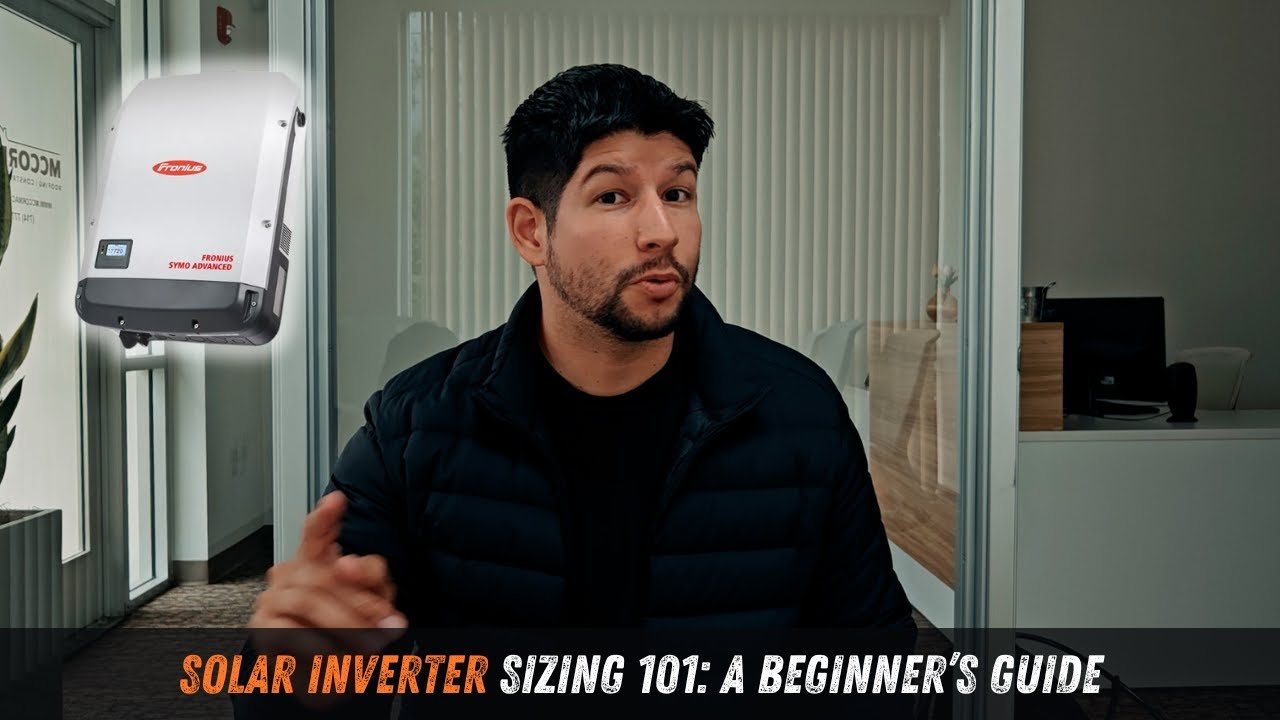
Find your inverter. It's usually mounted on an exterior wall near your main electrical panel, or inside your garage or utility room. It's a metal box, roughly the size of a small suitcase, with a display screen or indicator lights. Write down the brand and model number from the label.
Common brands include Enphase (usually a bunch of small boxes under each panel), SolarEdge (a single larger box with a screen), Tesla, Fronius, SMA, Sungrow, and GoodWe.
Check for a communication module. Some inverters have Wi-Fi built in. Others need an external device plugged into them. If you see a small plastic puck or dongle attached to the inverter, that's likely a cellular or Wi-Fi module.
If you see an Ethernet cable running from the inverter to your router, even better. No cable and no dongle means you probably need an add-on monitor.
Look for a gateway. Enphase systems use a separate device called the Enphase Envoy. It's a white box that communicates with all the microinverters. SolarEdge systems sometimes use a separate cellular modem.
Tesla systems integrate everything into the inverter itself. If you find a box with antennas and blinking lights, that's your gateway.
Check your paperwork. The installer should have left documentation. Look for a monitoring account setup guide, a QR code to scan, or an installer portal login. If you just moved into a home with existing solar, ask the previous owner or the real estate agent for the system details.
You can also search online by your address for permit records that list the equipment.
Image source: YouTube / McCormack (YouTube thumbnail (fair-use with source credit))
If you're unsure about the different panel technologies involved, it helps to understand the types of solar panels that might be on your roof.
Step 2 – Which Monitoring Path Fits Your Equipment?
This is the decision point. Your hardware tells you which branch of the tree to take.
Branch A: You have a modern inverter with built-in monitoring
If you have an Enphase system with microinverters, a SolarEdge system with power optimizers, a Tesla system, or a Fronius/SMA/Sungrow inverter made after 2018, you almost certainly have built-in monitoring. You just need to activate it.
Download the manufacturer's app. Create an account. Register your system using the serial number on the inverter or gateway.
Connect the device to your Wi-Fi network. Within 15 to 30 minutes, you should see live data on the dashboard.
If nothing appears after an hour, check these things:
- Is the inverter powered on? The display should be lit or have green lights.
- Is the Wi-Fi signal strong enough? If the inverter is in a detached garage or basement, you may need a Wi-Fi extender.
- Did you enter the correct SSID and password? Mistyped credentials are the most common failure point.
- Is the communication module properly seated? Some models have a removable dongle that can come loose.
Branch B: You have an older inverter without monitoring
If your inverter is from 2015 or earlier, or it's a generic string inverter without any communication port, you're in this branch. You cannot add manufacturer monitoring. But you can still track your system.
Your best options are:
Whole-home energy monitor. Devices like Sense, Emporia Vue, and Neurio clamp onto your main electrical lines. They use CT sensors to measure current. The app shows your total solar production and your home consumption on the same screen. Installation requires opening your electrical panel. If you're not comfortable working in a live panel, hire an electrician. Typical cost is $50 to $300 for the device plus installation.
Utility portal. Log in to your power company's website. Many utilities show daily and monthly net metering data. It's not real time, and it won't show you what you consumed directly from solar. But it gives you a baseline. Check it monthly.
DIY current transformer setup. If you're technically inclined, you can wire a current transformer to a Raspberry Pi or Arduino and log data locally. This is more work but gives you full control and no subscription fees.
Branch C: Your cellular gateway stopped working
Some older systems used 3G or 4G cellular modems to send data. As carriers shut down 3G networks and phase out older 4G bands, these gateways go silent. You won't know until you open the app and see no data for weeks.
Check the gateway model. Contact the manufacturer to see if there's a replacement option. In many cases, you can swap the cellular module for a Wi-Fi or Ethernet version.
Enphase, for example, offers a Wi-Fi upgrade kit for older Envoys. If no upgrade exists, fall back to Branch B and install a whole-home monitor.
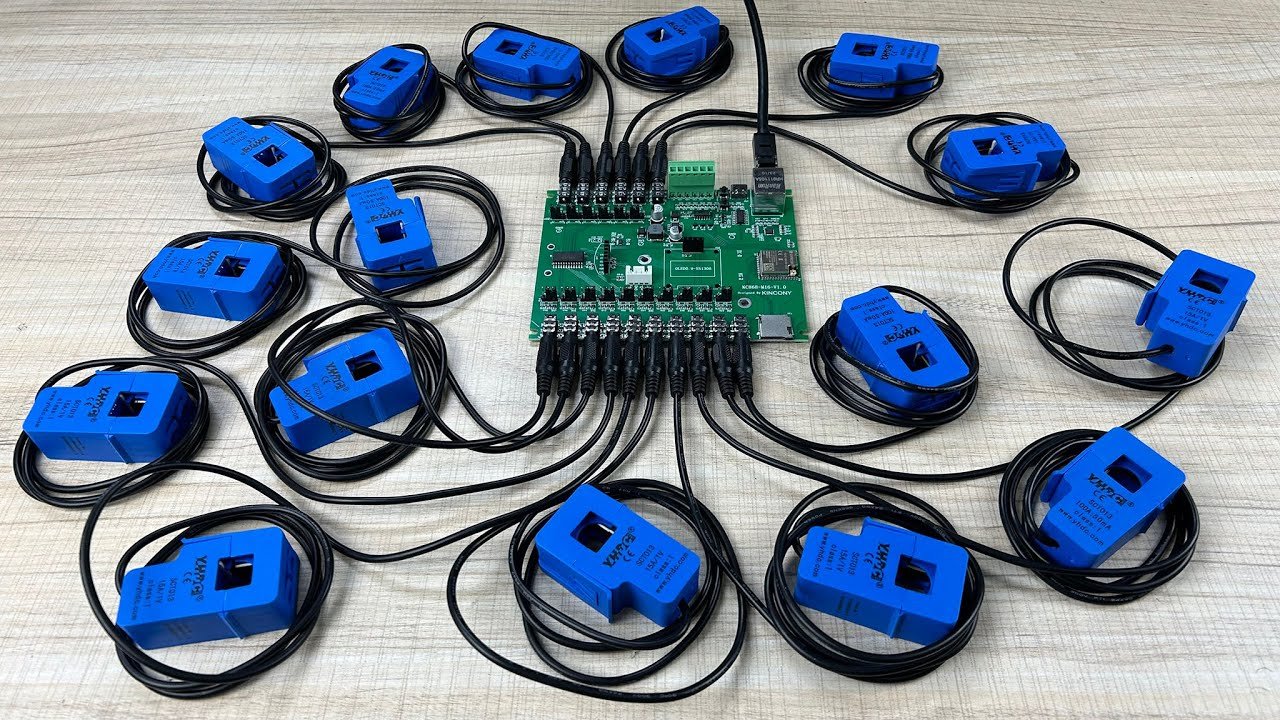
Image source: YouTube / KinCony IoT (YouTube thumbnail (fair-use with source credit))
Understanding the advantages and disadvantages of solar panels in your specific situation will also help you decide how closely you need to monitor performance.
Step 3 – Set Up Alerts So the System Watches Itself
The whole point of monitoring is to catch problems early. You don't want to check the app every day. You want the app to tell you when something is wrong.
That's what alerts are for.
Production drop alerts. Set a threshold at about 10 to 15 percent below expected production. If the system generates significantly less than normal for that time of day or season, you get a notification. Most manufacturer apps support this.
In Enphase Enlighten, it's called "System Alert." In SolarEdge, it's under "Notifications." If your app doesn't have this feature, set a calendar reminder to check production once a week.
Communication loss alerts. If the system stops sending data for 24 hours, you should know. Some apps send an automatic "no communication" alert. Others require you to enable it in settings.
Turn this on. A communication outage can mean a dead inverter, a failed gateway, or a Wi-Fi problem. Either way, you want to investigate.
Error code alerts. Inverters have diagnostic systems. They log error codes for things like grid voltage fluctuations, ground faults, and overheating. These codes are stored in the inverter's memory.
Many apps surface them as push notifications. Don't ignore them. A recurring "ground fault" error, for example, can indicate a wiring issue that gets worse over time.
How to test your alerts. Don't wait for a real fault to see if they work. Simulate one. Flip the breaker on your solar system off for five minutes.
Then turn it back on. If the alert system is working, you'll get a notification about the outage and another one when production resumes. No notification means you need to troubleshoot the alert settings or the communication path.
Image source: YouTube / PVBuzzMedia (YouTube thumbnail (fair-use with source credit))
Common Monitoring Mistakes That Cost You Money
Relying only on net meter data. Your utility meter shows what you export and import. It does not show what you generated or what you used directly from solar. If you run your dishwasher at noon while the sun is shining, the meter doesn't capture that.
You miss half the picture. You need a production monitor to see true performance.
Ignoring firmware updates. Inverters and gateways get firmware updates just like your phone. These updates fix bugs, improve connectivity, and add features. But many systems don't update automatically.
You have to check the app or the manufacturer's portal. An outdated inverter can drop its Wi-Fi connection or stop reporting data correctly.
Putting CT clamps on the wrong wires. If you install a whole-home monitor, the CT clamps must go on the correct conductors. Each clamp has a direction arrow. If you reverse a clamp, the readings will be negative or nonsensical.
Always check the installation diagram for your specific monitor model. If the numbers look wrong, the clamps are probably backwards.
Creating an account and never logging in. This is surprisingly common. People set up the app during installation, see the dashboard once, and then forget about it. A year later, they discover the system has been producing at 60 percent capacity for six months.
Set a recurring calendar reminder. Check the dashboard for five minutes once a week while you drink your coffee.
Assuming green lights mean everything is fine. Inverters have indicator lights. A solid green light usually means the system is on and communicating. But it doesn't mean production is normal.
An inverter can show a green light while outputting only 100 watts due to shading or an internal fault. Always verify with actual production numbers.
Bonus – What to Check Monthly (5-Minute Habit)
Once your monitoring is set up and alerts are configured, you don't need to obsess over the dashboard. But a quick monthly check catches problems early. Here's what to look at:
Compare current production to the same month last year. Most apps have a historical view. If January 2026 is significantly lower than January 2025, something changed. Maybe a tree grew taller. Maybe a panel failed. Maybe the inverter is drifting off its peak efficiency curve.
Look for consistent daily patterns. A sunny day should produce a smooth bell curve of output. If you see jagged spikes or sudden drops, investigate. Intermittent shading or a failing connection can cause erratic readings.
Check self-consumption versus export ratio. If you're exporting most of your solar power and buying electricity at night, you might benefit from shifting your usage to daytime hours. The monitoring dashboard shows this split. A high export ratio on a net metering plan is fine. On a time-of-use rate, it might mean you're leaving money on the table.
Watch for inverter error codes. Even if no alert fired, scroll through the system log. A single "grid voltage out of range" error in a storm is nothing. The same error appearing every sunny day means the inverter is seeing something it doesn't like.
Verify your utility bill matches your production data. Once a month, compare the kWh exported shown on your monitoring dashboard to the credit shown on your electric bill. Discrepancies happen. Meters fail. Billing systems make mistakes. You won't catch them unless you look.
Frequently Asked Questions
Do I need an internet connection to monitor my panels?
Yes, for most systems. The inverter or gateway sends data to the cloud, and you view it on an app. Without internet, the data stays local inside the inverter's memory.
Some inverters store up to 30 days of data. But you can't see it remotely without a connection.
Can I monitor panels without an inverter app?
Yes. You can install a whole-home energy monitor that works independently of your inverter. Devices like Emporia Vue and Sense attach to your electrical panel and track production from the solar breaker.
No inverter brand required. You can also check your utility net meter portal for basic data.
Why does my app show zero production on sunny days?
This usually means one of three things. Your inverter is offline or disconnected from Wi-Fi. Your system is turned off at the breaker.
Or your inverter has faulted and shut down. Check the inverter display for error codes. If the inverter shows power but the app shows zero, the communication module is the problem.
The data stopped updating. What do I do first?
Restart the inverter. Flip the solar breaker off, wait 30 seconds, and flip it back on. If the gateway has a reset button, press that too.
Wait 15 minutes. If data returns, the issue was a temporary glitch. If it stays dead, check your Wi-Fi network and the communication module connection.
Is there a way to monitor without Wi-Fi or cellular?
Not in real time. Some inverters store data locally on an SD card or USB drive. You can physically retrieve the card and read it on a computer.
It is not convenient, but it works. For live monitoring, you need some form of network connectivity.
How accurate are production estimates in the app?
Apps use your system size, local weather data, and historical patterns to estimate expected production. They are usually within 5 to 10 percent of actual output. But they cannot account for shading from a new tree or dirt buildup on panels.
Use the estimate as a reference, not a precise measurement.
Final Decision Guide – Your Next Step Based on Where You Are
You now know the options. Here is the short version of what to do right now.
Situation 1: You have a modern system with a known inverter brand.
Download the manufacturer app. Connect the inverter or gateway to your home Wi-Fi. Register your system using the serial number.
Set up production drop and communication loss alerts. Check the dashboard once a week. That covers everything.
Situation 2: You have an older system or incompatible inverter.
Skip the manufacturer app. It will not work. Buy a whole-home energy monitor instead.
Pick one with CT clamps rated for your main breaker size. Install it yourself or hire an electrician. The app will show both solar production and home consumption in one place.
Situation 3: Your cellular gateway stopped working.
Check which generation of cellular modem you have. If it is 3G, it is likely dead. Some 4G units are also being phased out.
Contact the manufacturer for a Wi-Fi or Ethernet upgrade kit. If no upgrade exists, install a whole-home monitor as your fallback.
Situation 4: You just moved into a house with solar.
Find the inverter. Snap a photo of the label. Search online for the brand and model.
Check for a gateway device near the inverter. Contact the previous owner if you can. If you find no monitoring equipment at all, start with Situation 2.

Similar Posts