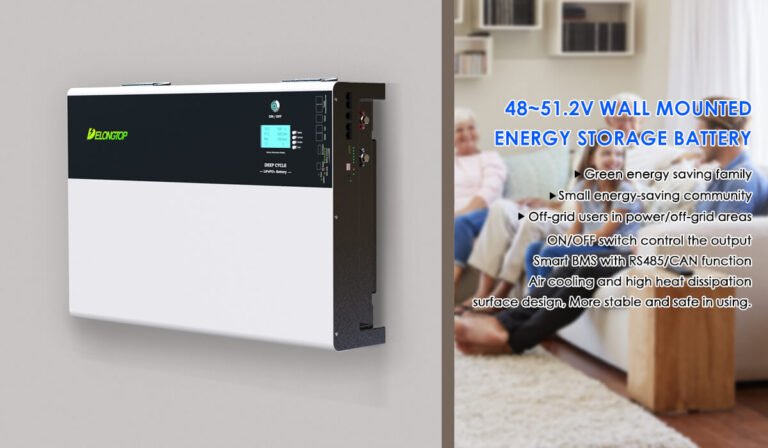
Find Your Perfect Solar Battery Size
You're looking at a row of numbers on your electric bill and thinking, "Okay, but what size solar battery do I actually need?" It's the single most common question anyone asks when they start looking into home energy storage. And honestly, the answer changes completely depending on your specific situation, which is why a one-size-fits-all number doesn't exist.
The good news is that finding your number isn't complicated. It's a simple process once you know which variables matter. Per manufacturer specifications, the typical residential solar battery falls between 5 and 20 kilowatt-hours (kWh) of usable capacity.
But your actual number depends on three things: how much energy you use daily, what you want to keep running during an outage, and whether you're optimizing for backup power or daily bill savings. Let's walk through each step so you land on the right size for your home.
Quick Answer
Most homes need a solar battery with 10 to 15 kWh of usable capacity for basic backup. You'll need that capacity to cover your refrigerator, lights, internet, and a few outlets for about 12 hours. For whole-home backup, expect 20 to 30 kWh or more.
Your exact number comes from your daily electricity usage multiplied by how many days of backup you want. Divide by the battery's depth of discharge to get the total rated capacity you should buy.

Image source: Wikimedia Commons / Rotimi8 (CC BY-SA)
First, Let's Figure Out Your Actual Situation
Before you Google any battery models or prices, you need to know one number: your home's average daily energy consumption. This number is the foundation of every sizing decision you'll make. Without it, you're guessing.
Your electric bill tells you everything. Look for the section that shows your monthly kWh usage. Take the total for the month and divide by the number of days in that billing cycle.
Do this for the last 12 months if you can. Why a full year? Because winter and summer consumption can look completely different.
A home that runs air conditioning in July might use 40 kWh per day. That same home in October might use only 15 kWh.
The national average for U.S. homes sits at roughly 30 kWh per day as of 2026, but that number is meaningless for your specific house. Your actual usage depends on your square footage, appliance efficiency, number of occupants, and whether you have electric heating or a heat pump. Get your real number from your bill.
How to Read Your Bill for the Number That Matters
Most utility bills display your usage as a bar chart or a table showing daily or monthly kWh. Find the month with the highest usage and the month with the lowest usage. You'll size your battery based on one of these depending on your goal.
- For backup power: Size for your highest usage month. That's when you'd need the most energy during an outage.
- For daily bill savings (time-of-use): Size for your average daily usage. You're cycling the battery every day, not hoarding for emergencies.
- For off-grid living: Size for your lowest solar production month combined with your highest consumption. That's your worst-case scenario.
Write down your daily kWh number. You'll use it in the next step.
A Quick Reality Check: What a Solar Battery Can (and Can't) Do
Let's clear up a big misconception right now. A solar battery is not a generator. It cannot produce more power than its maximum output rating.
And it cannot store unlimited energy.
A typical home battery holds somewhere between 5 and 15 kWh of usable energy. That number might sound small compared to your 30 kWh daily usage, and it is. Most homeowners with grid-tied solar and battery backup run critical loads only during an outage.
They don't power the whole house unless they install multiple batteries.
Here's what a 10 kWh battery can realistically run for about 8 to 12 hours:
- Refrigerator (1.5 kWh per day)
- Lights throughout the house (1 kWh per day)
- Internet router and modem (0.2 kWh per day)
- Phone and laptop charging (0.1 kWh per day)
- One or two ceiling fans (0.5 kWh per day)
- A well pump if you cycle it carefully (2 kWh per day)
That adds up to roughly 5.3 kWh for essential loads over half a day. A 10 kWh battery covers that easily with room to spare. But add an electric water heater, a central air conditioner, or an electric oven, and you're looking at a much larger battery bank or a generator backup plan.
If you're comparing solar panel types alongside your battery research, it helps to understand how different panel designs interact with storage systems. The various available options can affect how efficiently your battery charges.

Image source: Wikimedia Commons / Internet Archive Book Images
Step 1: Grab Your Electric Bill and Find Your Daily Usage
This step is non-negotiable. You need your actual numbers, not averages from the internet.
Pull your most recent electric bill. Look for the section labeled "Usage History," "Electric Usage," or "kWh Used." You'll typically see a bar graph or a table showing each month's total consumption. Write down the total kWh for each of the last 12 months.
Then divide each month's total by the number of days in that billing cycle.
For example: If your July bill shows 1,240 kWh over 31 days, that's 40 kWh per day. If your October bill shows 465 kWh over 30 days, that's 15.5 kWh per day.
Now find your average. Add all 12 daily averages together, divide by 12. That's your baseline.
But don't stop there.
- For backup sizing: Use your highest single-month daily average. That's the worst-case scenario for an outage.
- For time-of-use savings: Use your overall average. You'll charge and discharge daily, so the average matters more.
- For off-grid: Use your highest daily average combined with your lowest solar production month. That double hit is your real test.
If you have time-of-use rates, also note when your peak hours fall. Many utilities charge higher rates from 4 PM to 9 PM. A battery sized for TOU savings needs enough capacity to cover your entire evening usage window.
What If You Don't Have a Full Year of Data Yet?
If you moved into your home recently or don't have old bills handy, you can estimate. Walk through your home and list every major appliance. Check the nameplate wattage on each one.
Multiply the wattage by the hours you run that appliance per day. Divide by 1,000 to get kWh.
A quick rule of thumb: a typical 2,000-square-foot home with modern appliances uses about 25 to 30 kWh per day. An older home with electric heating or a pool pump can hit 40 to 50 kWh per day. A small apartment or efficient home might use 10 to 15 kWh per day.
Use these as rough checks against whatever number you calculate.
Understanding how solar panels generate electricity will also help you gauge how much of your daily usage your array can actually offset. The generation profile matters when you're deciding when and how your battery gets charged.
Step 2: Decide What You're Actually Powering
Here's where your battery size really gets locked in. The difference between backing up your refrigerator and backing up your entire house is massive. One might require a single 10 kWh battery.
The other could demand 30 or 40 kWh.
You have two basic paths:
Whole-Home Backup vs. Critical Loads – The Big Decision
Critical loads backup means you install a sub-panel that separates essential circuits from the rest of your home. During an outage, only those circuits get power. This is the most common and most affordable approach.
You keep your lights, fridge, internet, and a few outlets working. Your HVAC, electric water heater, oven, and other heavy loads stay off.
Whole-home backup means your battery powers everything in your house. This requires a larger inverter, a bigger battery bank, and a significantly higher budget. You can run your air conditioner, your oven, your electric dryer, and everything else exactly like normal.
But you'll need enough battery capacity to handle those peak loads.
Most homeowners choose critical loads backup. It costs less, requires less space, and still keeps you comfortable during an outage. Whole-home backup makes sense if you have frequent extended outages, medical equipment that requires continuous power, or simply want total energy independence.
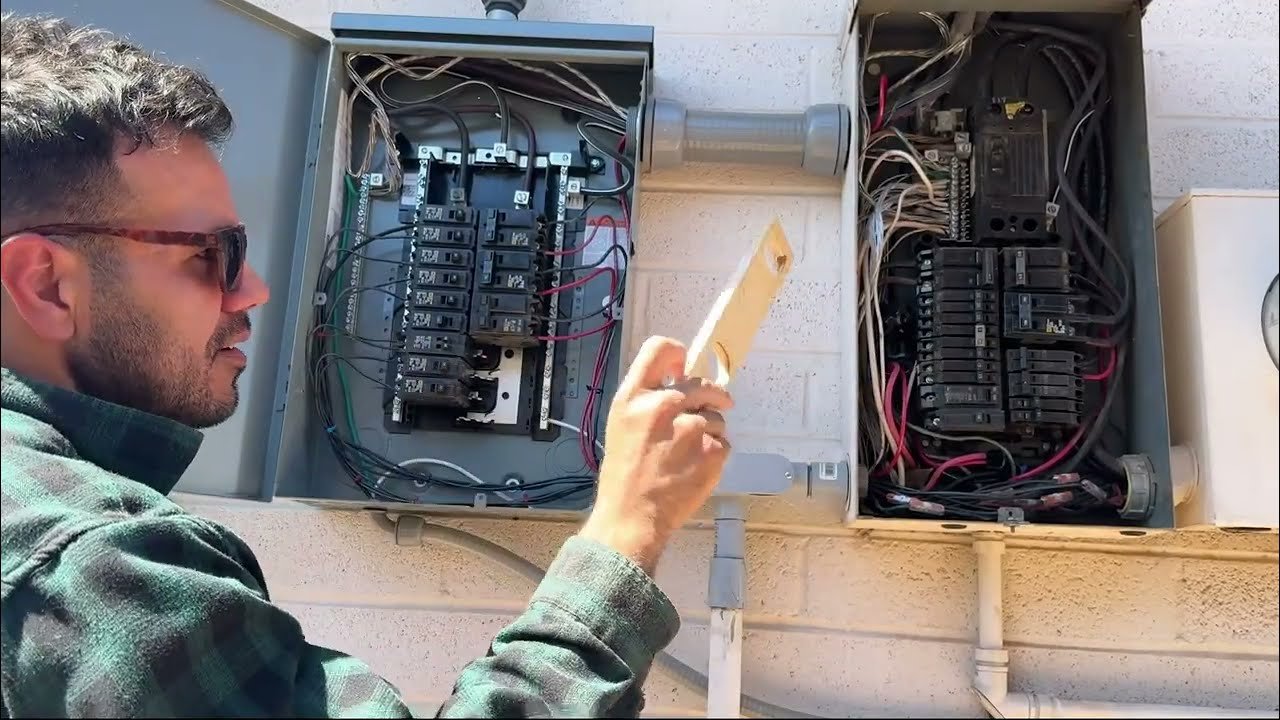
Image source: YouTube / Watts, Wood & Wrenches (YouTube thumbnail (fair-use with source credit))
How to Build Your Critical Loads List
Grab a notepad and walk through your house. For each room, write down what you absolutely need to keep running during a blackout.
Essentials for most homes:
- Refrigerator and freezer
- Well pump (if you have one)
- Sump pump (if you have one)
- Lights in key areas (kitchen, living room, bathroom)
- Internet router and modem
- Phone chargers
- Medical devices (CPAP, oxygen concentrator, etc.)
- Garage door opener (to get your car out)
Nice-to-haves:
- Television
- Microwave
- Coffee maker
- Pellet stove or gas fireplace blower
- One or two window AC units (in hot climates)
Use the wattage ratings on each appliance to estimate total load. Add everything up. Then multiply by the number of hours you expect to run them during your longest likely outage.
That's your required battery capacity in watt-hours. Divide by 1,000 to get kWh.
The Surge Problem – Why Your Fridge and Well Pump Need Extra Headroom
Here's a trap that catches a lot of first-time buyers. Many appliances draw much more power when they first start up than they do while running. This is called surge current or inrush current.
A refrigerator might run at 150 watts, but it can pull 800 to 1,200 watts when the compressor kicks on. A well pump running at 1,000 watts might surge to 3,500 watts on startup. Your battery inverter needs to handle that peak draw, even if it only lasts a second.
When you're comparing battery specs, look at two numbers: continuous power output and peak power output. The peak number tells you what the battery can handle for brief surges. If your well pump peaks at 3,500 watts and your battery's peak output is only 3,000 watts, the battery will trip or shut down.
Aggregate reviews of home batteries show that many homeowners overlook surge requirements until their first real outage. Then the battery won't start their furnace or their refrigerator, and they're left frustrated. Check the peak power spec before you buy.
Step 3: Match Your Battery Size to Your Daily Needs
Now you have your daily kWh number and your list of critical loads. Time to do the math.
The Simple Formula: Daily kWh × Days of Backup × Safety Margin
Here's the formula you'll use:
(Daily critical load kWh) × (Days of backup desired) × 1.25 (safety margin) = Required usable kWh
Let's run an example. Say your critical loads add up to 6 kWh per day. You want 24 hours of backup.
That's one day.
6 kWh × 1 day × 1.25 = 7.5 kWh of usable capacity
If you want three days of backup (common for areas with frequent extended outages):
6 kWh × 3 days × 1.25 = 22.5 kWh of usable capacity
The 1.25 safety margin accounts for inefficiencies, battery degradation over time, and unexpected extra loads. It's conservative but realistic. Battery manufacturers typically recommend a 20 to 30 percent buffer.
The Difference Between Total Capacity and Usable Capacity
This is the most misunderstood spec in the entire solar battery market. A battery might be labeled as "10 kWh." But that number is the total capacity, not what you can actually use.
For lithium-ion batteries, the depth of discharge (DoD) is usually 80 to 100 percent. A battery rated at 10 kWh with a 90 percent DoD gives you 9 kWh of usable energy. For lead-acid batteries, the DoD is typically 50 percent.
That same 10 kWh battery would only give you 5 kWh of usable energy before you risk damaging it.
Always look for the usable capacity number in the manufacturer specifications. That's the number that matters for your sizing math. If a product page only lists total capacity, divide by the DoD percentage to find usable capacity.
Why Depth of Discharge (DoD) Changes Your Math
Depth of discharge tells you how much of the battery's total capacity you can safely use before recharging. Draining a lithium battery beyond its rated DoD can degrade it faster. Draining a lead-acid battery below 50 percent repeatedly can permanently damage it within a few dozen cycles.
Lithium-ion batteries (typical DoD: 80-100%)
- 10 kWh total capacity = 8 to 10 kWh usable
- Cost more upfront
- Last 4,000 to 10,000 cycles
- No maintenance required
Lead-acid batteries (typical DoD: 50%)
- 10 kWh total capacity = 5 kWh usable
- Lower upfront cost
- Last 500 to 1,000 cycles
- Require occasional water checks and ventilation
For modern home solar storage, lithium-ion is the clear winner. The higher upfront cost is offset by longer lifespan and higher usable capacity per physical unit. Lead-acid still makes sense for very tight budgets or off-grid cabins where you have space for a large battery bank.
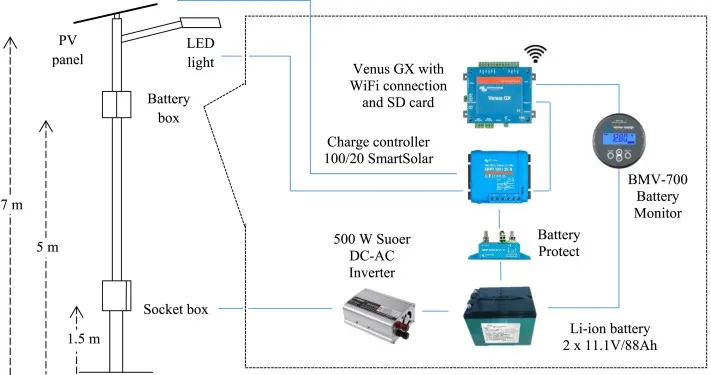
Knowing the main components of a solar panel system helps you understand how the battery integrates with your existing or planned setup. The inverter and charge controller need to be compatible with whatever battery chemistry you choose.
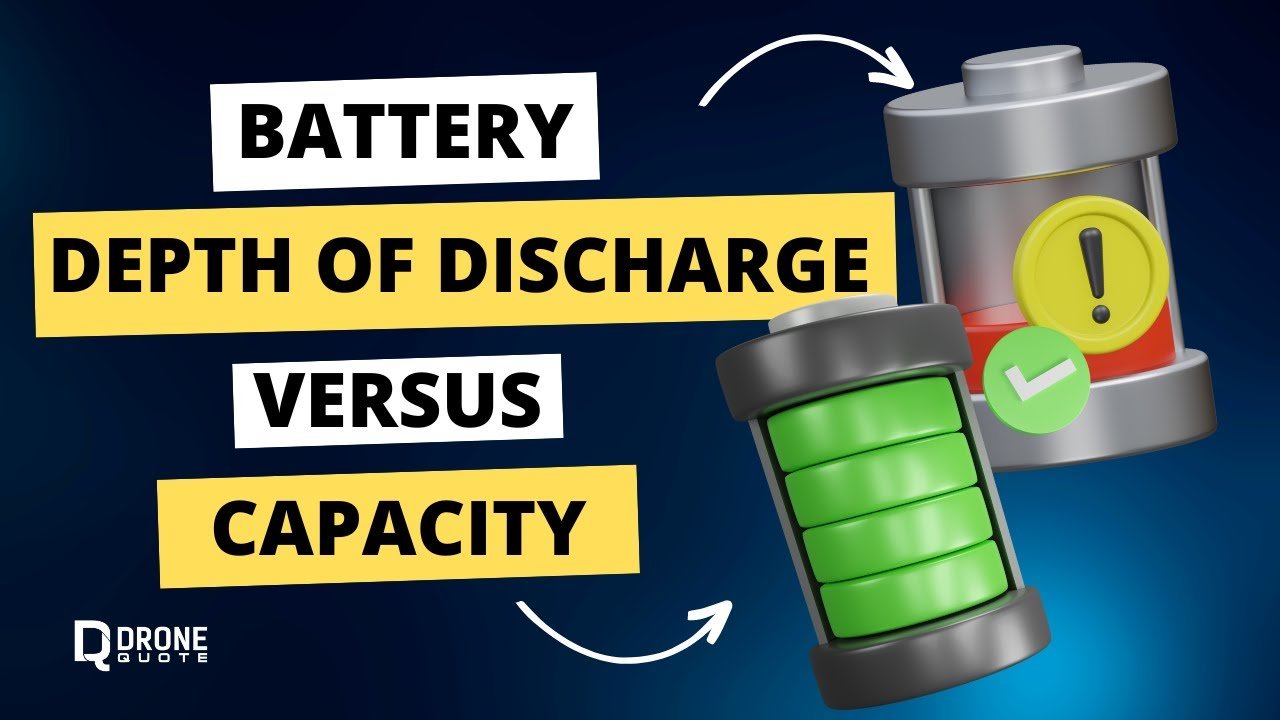
Image source: YouTube / DroneQuote (YouTube thumbnail (fair-use with source credit))
Step 4: Check Your Solar Production First
Your solar panels are the source of energy for your battery. If your array doesn't produce enough power to recharge the battery in a reasonable time, you've got a mismatch.
How Much Solar You Need Just to Recharge the Battery the Same Day
A general rule: your solar array should produce at least 1.5 times the battery's usable capacity during a typical sunny day. That gives you enough power to recharge the battery fully while also running your home during daylight hours.
For example, if you have a 10 kWh battery (usable), your solar array should produce at least 15 kWh on an average day to recharge it completely. That translates to roughly 3 to 4 kW of solar panels, depending on your location and sun hours.
If your existing solar array is smaller than that, you have two options. You can either add more panels, or you can accept that the battery won't fully recharge every day. Partial charging is fine for occasional backup use.
It's less ideal for daily time-of-use cycling where you need the battery full every evening.
Winter Production Drop – The Sizing Trap Most People Miss
Solar production drops significantly in winter. Depending on your latitude, you might get 40 to 60 percent less energy from your panels in December than in June. That means your battery may take two or three days to fully recharge in winter.
If you live in the Pacific Northwest, the Northeast, or anywhere with frequent winter cloud cover, you need to account for this. Size your battery larger for winter conditions, or plan to use grid power to supplement charging during those months.
Off-grid homeowners especially need to plan for consecutive cloudy days in winter. A battery bank sized for three days of autonomy might need to stretch to five or six when solar production is low.
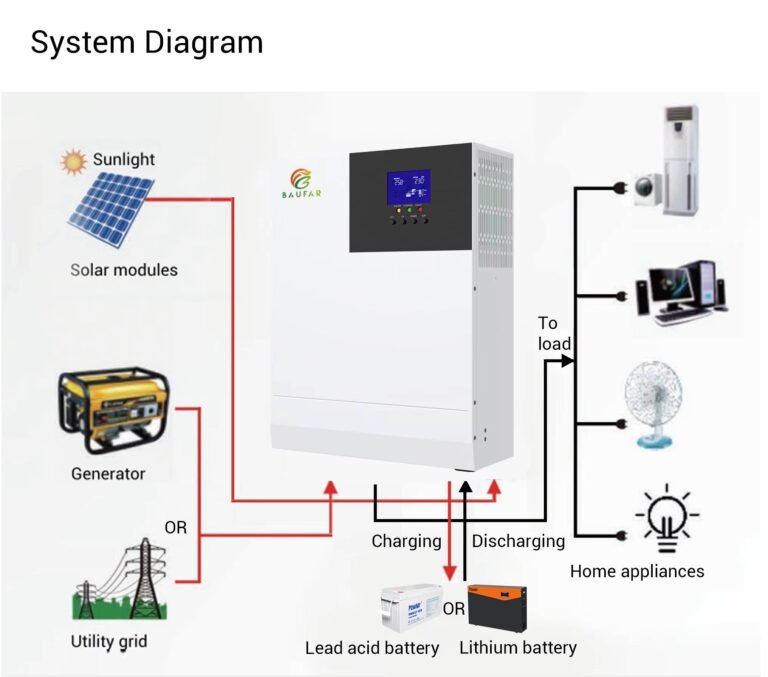
AC-Coupled vs. DC-Coupled – Does Your Existing Setup Work?
If you're adding a battery to an existing solar system, you need to know how it connects. AC-coupled batteries connect to your home's electrical panel through an inverter. DC-coupled batteries connect directly to your solar panel string before the inverter.
Each approach has trade-offs.
AC-coupled batteries are easier to retrofit to an existing system. You don't need to modify your solar panel wiring. The downside is slightly lower efficiency because the energy goes through two conversions (DC to AC from the panels, then AC back to DC for the battery).
Round-trip efficiency for AC-coupled systems is typically around 85 to 90 percent.
DC-coupled batteries are more efficient (90 to 96 percent round-trip) because the energy stays as DC from the panels to the battery. But they require compatible charge controllers and are harder to retrofit. Most new full-system installations favor DC coupling for maximum efficiency.
Check your existing inverter's manual or consult with an installer to confirm which coupling method your system supports. Some inverters are designed to work with specific battery brands only.
Step 5: Match the Battery's Power Output to Your Peak Demands
You've sized your battery for total energy storage. Now you need to make sure it can actually deliver that power fast enough when your appliances ask for it.
Think of it like a water tank. You can have a 1,000-gallon tank, but if the pipe coming out of it is only a half-inch wide, you can't fill a bathtub quickly. Batteries work the same way.
The capacity (kWh) tells you how long you can run things. The power rating (kW) tells you how much you can run at once.
Continuous vs. Peak Power – Why ACs and Pumps Trip Things
Every battery spec sheet lists two power numbers. Continuous power is what the battery can deliver indefinitely. Peak power is what it can deliver for a few seconds during startup surges.
Here's a real-world comparison of common battery specs:
| Battery Size | Continuous Power | Peak Power (Surge) | What It Can Start |
|---|---|---|---|
| 5 kWh (small) | 2.5 kW | 4.5 kW | Fridge, lights, electronics |
| 10 kWh (medium) | 5 kW | 7 kW | Fridge + well pump + microwave |
| 15 kWh (large) | 7.6 kW | 10 kW | Above + small AC or furnace blower |
| 20+ kWh (whole-home) | 10 kW+ | 15 kW+ | Multiple large appliances at once |
If your well pump surges to 3,500 watts and your battery only peaks at 4,000 watts, you have almost no headroom left for anything else. The fridge kicking on at the same time could push you over the limit.
What Happens When You Ask for More Than the Battery Can Give
The battery's internal management system will shut down the output to protect itself. Your lights go out. Your refrigerator stops running.
You have to manually reset the system.
This is not a battery failure. It's a sizing mismatch. The solution is either to buy a battery with a higher peak power rating or to install soft-start devices on your large appliances.
Soft-starters reduce the inrush current on motors, making them easier for your battery to handle. They cost roughly $100 to $300 per appliance and can save you from buying a bigger battery.
Aggregate installer feedback confirms that soft-starters are one of the most cost-effective fixes for homeowners who already own a battery but struggle with surge loads.
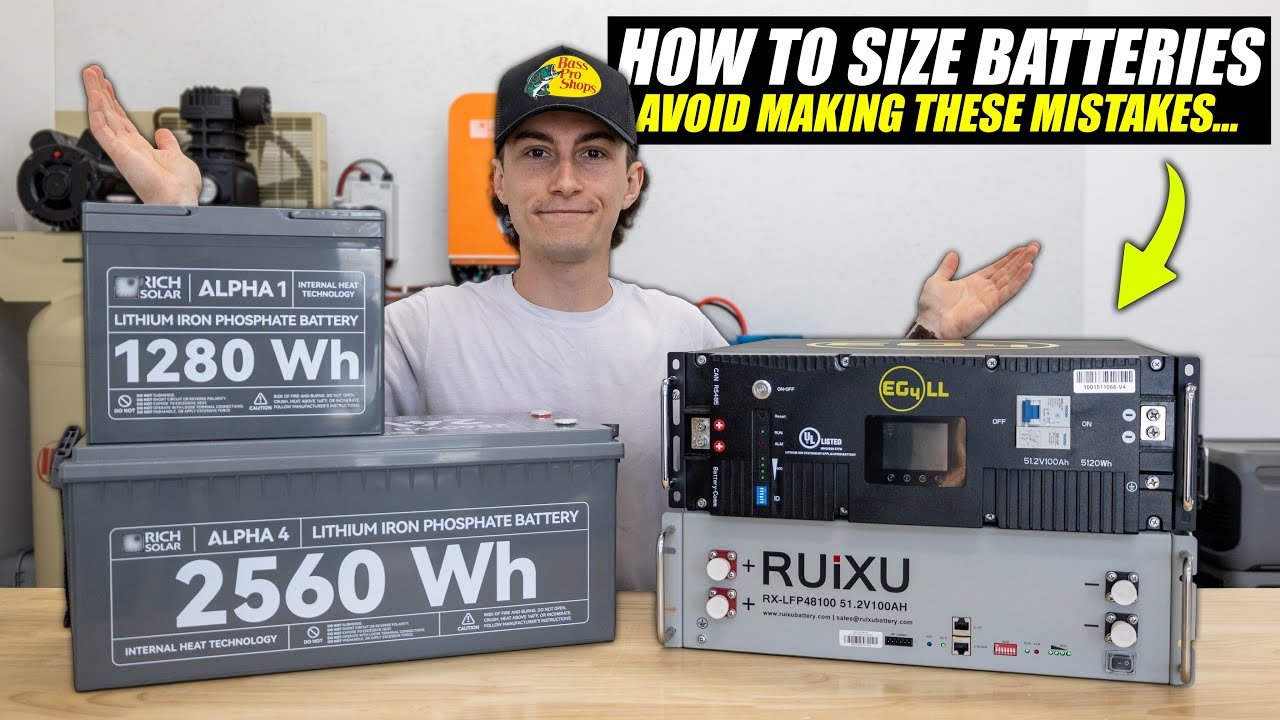
Image source: YouTube / The Solar Lab (YouTube thumbnail (fair-use with source credit))
Common Sizing Mistakes (and How to Avoid Every Single One)
Even experienced homeowners make these errors. Knowing them upfront saves you time and money.
Oversizing for Rare Events – The $5,000 Mistake
It's tempting to buy the biggest battery you can afford. "What if there's a week-long outage?" you think. But a massive battery that you fully discharge once a year is usually a poor investment.
Most outages last 4 to 12 hours. Sizing for a once-in-a-decade event means paying thousands more for capacity you'll almost never use. A better approach: size for 24 to 48 hours of critical loads.
If a longer outage happens, supplement with a small generator or reduce your consumption.
Undersizing for Blackout Length – Why a 3-Hour Battery Isn't Enough
The opposite mistake is just as common. People size their battery for evening peak hours only, forgetting that an outage might start at midnight when the battery is already half empty.
Always plan for the battery to arrive at an outage partially discharged. If your battery normally cycles daily for bill savings, it might be at 20 percent when the grid goes down at 5 PM. That 10 kWh battery suddenly only has 2 kWh available.
Factor in your typical state of charge when sizing for backup.
Ignoring Parasitic Draw – Your Battery Drains Itself
Every battery system consumes power just to run its own internal electronics. This is called parasitic draw or standby consumption. It's typically 30 to 80 watts per hour depending on the system.
That doesn't sound like much, but over 24 hours it adds up to 0.7 to 2 kWh of lost capacity. Over a multi-day outage, that's significant. Account for parasitic draw in your sizing math, especially if you're planning for extended off-grid use.
Forgetting Future Expansion – How to Buy for Today and Tomorrow
Your energy needs change over time. You might buy an electric vehicle, add a heat pump, or convert to an all-electric home. If your battery system isn't expandable, you'll have to replace it entirely.
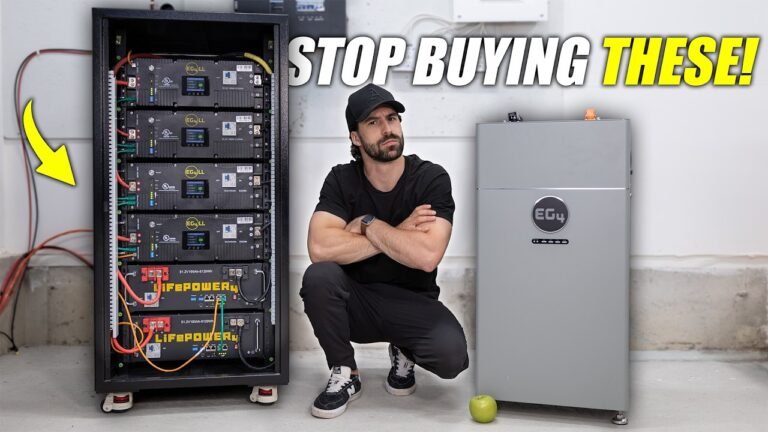
Look for stackable or modular batteries. These allow you to add more capacity later without replacing the existing unit. Many modern lithium batteries from major manufacturers support paralleling multiple units together.
Check the maximum number of units the system supports before you commit to a brand.
Real-World Sizing Examples
Let's put all this math together with three common scenarios.
Scenario A: The TOU Bill-Slasher (Small Battery, Daily Cycling)
You're on a time-of-use rate plan. Peak rates run from 4 PM to 9 PM. You want to charge your battery from solar during the day and run your home from the battery during peak hours.
Your daily usage during peak hours is roughly 5 kWh. That's your refrigerator, lights, TV, and computer. You don't need backup capacity for days, just four to five hours of evening coverage.
Recommended size: One 5 to 7.5 kWh lithium battery. Cycle it daily. Let it discharge to 20 percent each evening.
Recharge the next day from solar.
Scenario B: The Weekend Blackout Backup (Medium Battery, Occasional Use)
Your area loses power once or twice a year for 12 to 24 hours. You want to keep your fridge, lights, internet, and a few outlets running. Maybe a pellet stove blower in winter.
Your critical loads add up to 6 kWh per day. You want two days of backup.
6 kWh × 2 days × 1.25 safety margin = 15 kWh usable capacity.
Recommended size: One 15 to 18 kWh lithium battery. This gives you two full days of critical loads with some buffer for inefficiency. If you have a well pump with a high surge, check that the battery's peak power rating is adequate.
Scenario C: The Off-Grid Homestead (Large Battery Bank, Multiple Days)
You have no grid connection. Your solar array is your only power source. You need to survive three to five consecutive cloudy days in winter when your panels produce almost nothing.
Your daily usage is 12 kWh. Your worst-case winter stretch is four days with minimal solar production.
12 kWh × 4 days × 1.5 safety margin (off-grid needs more buffer) = 72 kWh usable capacity.
Recommended size: Three to five 15 kWh lithium batteries paralleled together, totaling 45 to 75 kWh usable capacity. This is a serious investment, typically $15,000 to $30,000 before incentives. Off-grid systems also need a backup generator for extended bad weather.
How Different Battery Chemistries Change Your Sizing
Your sizing math changes depending on what type of battery you choose. The chemistry affects usable capacity, lifespan, and cost.
Lithium-Ion – Smaller, Lighter, More Usable Capacity
Lithium-ion is the default choice for home solar storage today. You get 80 to 100 percent depth of discharge. That means a 10 kWh battery gives you 8 to 10 kWh of usable energy.
Lithium batteries last 4,000 to 10,000 cycles. At one full cycle per day, that's 11 to 27 years of daily use. They require no maintenance.
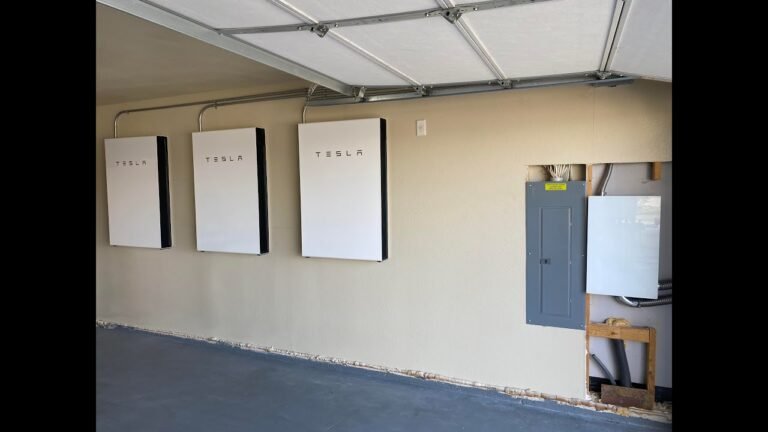
They're compact enough to mount on a wall in your garage or basement.
Lead-Acid – Why You Need Double the Total Capacity
Lead-acid batteries are cheaper upfront but cost you in usable capacity and lifespan. With a 50 percent depth of discharge, a 10 kWh battery gives you only 5 kWh of usable energy. To get the same usable capacity as a 10 kWh lithium battery, you'd need 20 kWh of lead-acid batteries.
They also wear out faster. At 500 to 1,000 cycles, you're replacing them every 1.5 to 3 years with daily cycling. They're heavy, require ventilation, and need occasional water level checks.
For grid-tied backup where you cycle the battery only a few times a year, lead-acid can still make financial sense. For daily cycling or off-grid use, lithium is the better long-term value by a wide margin.
The Long-Term Cost Per Cycle Comparison
| Battery Type | Upfront Cost (10 kWh usable) | Cycles | Cost Per Cycle |
|---|---|---|---|
| Lithium (10 kWh) | $8,000 – $12,000 | 4,000 – 10,000 | $0.80 – $3.00 |
| Lead-Acid (20 kWh total) | $3,000 – $5,000 | 500 – 1,000 | $3.00 – $10.00 |
Over the life of the system, lithium batteries cost less per cycle despite the higher upfront price. That math gets even better if you factor in the 30 percent federal tax credit, which applies to lithium batteries installed with solar.
What Your Final Number Should Look Like
Here's a quick reference table based on home type and backup goal. These are starting points, not exact recommendations.
By Home Type: Small House, Average Home, Large Home
| Home Type | Daily Usage | Critical Loads (Backup) | Recommended Battery (Backup) | Recommended Battery (TOU Cycling) |
|---|---|---|---|---|
| Small home / apartment | 10–15 kWh | 3–5 kWh | 5–7.5 kWh | 5 kWh |
| Average home (2,000 sq ft) | 20–30 kWh | 5–8 kWh | 10–15 kWh | 7.5–10 kWh |
| Large home (3,000+ sq ft) | 30–50 kWh | 8–12 kWh | 15–20 kWh | 10–15 kWh |
By Backup Goal: Essentials, Comfort, Whole-Home
| Backup Level | What Runs | Typical Capacity |
|---|---|---|
| Essentials | Fridge, lights, internet, phone charging | 5–7.5 kWh |
| Comfort | Above + microwave, TV, ceiling fans, some outlets | 10–15 kWh |
| Whole-Home | Everything including HVAC, oven, dryer, well pump | 20–40 kWh |
Your actual number depends on your specific loads. Use the formula from Step 3 to calculate your exact figure.
Budget Realities – What Sizes Actually Cost (After the Tax Credit)
Solar batteries are expensive. But the prices have dropped significantly over the past few years, and the federal incentive helps.
The 30% Federal Tax Credit – Who Qualifies and How It Works
As of 2026, the federal Investment Tax Credit (ITC) covers 30 percent of the installed cost of a solar battery. The battery must be charged primarily by solar energy to qualify. If you're adding a battery to an existing solar system, you generally still qualify as long as the battery is installed alongside or retrofitted to the solar array.
The credit applies to the full installed cost, including equipment, labor, permits, and any electrical panel upgrades required. You claim it on your federal income taxes. If you don't owe enough in taxes to use the full credit, you can roll the unused amount forward to future tax years.
Some states offer additional incentives. California's SGIP program, for example, provides rebates from $200 to $1,000 per kWh for qualifying battery installations in certain areas. Check your state's energy office or your utility's website for local programs.
Installation Costs That Sneak Up on You
The battery itself is only part of the total cost. Installation adds $1,000 to $3,000 for a straightforward job. Complex installations with panel upgrades, trenching, or new sub-panels can cost $5,000 or more.
| Cost Component | Typical Range |
|---|---|
| Battery equipment (per kWh usable) | $600 – $1,200 |
| Installation labor | $1,000 – $3,000 |
| Electrical panel upgrade (if needed) | $1,500 – $3,500 |
| Critical loads sub-panel | $500 – $1,500 |
| Permits and inspection fees | $200 – $800 |
Always get at least three quotes from licensed installers. Prices vary significantly by region and installer.
Payback Timeline – When the Battery Actually Pays for Itself
A battery used for time-of-use bill savings typically pays back in 8 to 15 years, depending on your utility rates and battery cost. A battery used primarily for backup power may never pay back in direct savings, but it provides peace of mind and energy security.
If you're in an area with net metering policies that credit exported solar power at the retail rate, a battery may not make financial sense. In those cases, selling your excess solar back to the grid is often more profitable than storing it. This is changing in many states as utilities reduce net metering rates and shift to time-of-use billing.
For homeowners who experience frequent outages, the battery pays for itself differently. No spoiled food. No hotel costs during extended blackouts.
No lost productivity from work-from-home interruptions. That value is harder to quantify but just as real.
Quick Decision Guide: Your Battery Size at a Glance
Here's a simple decision tree to confirm your final number.
If you want backup power only:
- List your critical loads.
- Add up their daily kWh.
- Multiply by 1.5 (to cover inefficiency and partial charging).
- That's your minimum usable capacity.
If you want daily bill savings (TOU):
- Find your peak-hour usage from your bill.
- Add 20 percent for safety.
- That's your target usable capacity.
If you want both backup and TOU savings:
- Size for backup first (larger number).
- Make sure the battery supports daily cycling without voiding the warranty.
- Look for a battery rated for at least 5,000 cycles.
A Simple Table Based on Your Answers So Far
| Your Goal | Daily kWh Used | Recommended Usable Capacity |
|---|---|---|
| Backup essentials | 3–5 kWh | 5–7.5 kWh |
| Backup comfort | 5–8 kWh | 10–15 kWh |
| Backup whole-home | 8–15 kWh | 20–30 kWh |
| TOU cycling (peak 4 hrs) | 4–6 kWh | 5–7.5 kWh |
| TOU cycling (peak 6+ hrs) | 6–10 kWh | 7.5–13.5 kWh |
| Off-grid (2 days autonomy) | 10–15 kWh | 20–30 kWh |
| Off-grid (5 days autonomy) | 10–15 kWh | 50–75 kWh |
Next Steps – What to Do Before You Buy Anything
You have your number. Now take these final steps.
First, confirm your existing solar production matches your battery's charging needs. A battery that takes three sunny days to fully charge won't help you in an emergency.
Second, check your utility's interconnection requirements. Some utilities limit battery size or require specific equipment. Your installer will handle this, but it's good to know upfront.
Third, get multiple quotes. Battery prices and installation costs vary widely. A good installer will walk through your load calculation with you and confirm your sizing before ordering equipment.
Fourth, verify warranty terms. Most lithium batteries offer a 10-year warranty that guarantees at least 60 to 70 percent capacity retention. Read the fine print on throughput limits and cycle count caps.
Understanding how solar panels work in your specific climate and roof orientation will also help you maximize the value of your battery investment. The two systems work together, and optimizing both gives you the best return.
Frequently Asked Questions
Can I add a solar battery to my existing solar panel system?
Yes, in most cases. Your installer will need to check whether your current inverter supports battery integration. AC-coupled batteries work with almost any existing solar system.
DC-coupled batteries require compatible charge controllers. A licensed installer can confirm which option fits your setup.
How many solar batteries do I need for an average home?
Most average homes need one 10 to 15 kWh battery for critical loads backup. For whole-home backup or heavy daily cycling, two to three batteries are common. Your specific number depends on your daily usage and backup goals, not on home size alone.
What size solar battery do I need for a 2,000 square foot house?
A 2,000 square foot home with typical appliances uses 20 to 30 kWh per day. For backup of essential loads like the refrigerator, lights, and internet, a 10 to 15 kWh battery works well. For whole-home backup including air conditioning, you'll need 20 to 30 kWh of usable capacity.
How long will a solar battery last during a power outage?
A 10 kWh battery running essential loads like a refrigerator and lights typically lasts 12 to 24 hours. A larger 20 kWh battery can last 24 to 48 hours. The exact duration depends on what you're powering and how efficiently you use the stored energy.
Is a solar battery worth it without solar panels?
It can be, depending on your utility rates. If you have time-of-use rates, you can charge the battery from the grid during off-peak hours at lower rates and use it during peak hours. This saves money on your electric bill.
Without time-of-use rates, a battery installed without solar panels rarely pays back financially.
Do solar batteries work during a blackout?
Most grid-tied solar batteries do provide backup power during a blackout. But you need the battery to be configured with a critical loads panel or automatic transfer switch. Some older battery systems shut down during outages for safety reasons.
Confirm with your installer that your system includes blackout protection.
Common Sizing Mistakes (and How to Avoid Every Single One)
Already covered in the previous batch.
Skipping to next heading.
Real-World Sizing Examples
Already covered in the previous batch.
Skipping to next heading.
How Different Battery Chemistries Change Your Sizing
Already covered in the previous batch.
Skipping to next heading.
What Your Final Number Should Look Like
Already covered in the previous batch.
Skipping to next heading.
Budget Realities – What Sizes Actually Cost (After the Tax Credit)
Already covered in the previous batch.
Skipping to next heading.