how to tell if solar panel is working
You’re standing in your backyard, the sun’s blazing, and you’re staring at a box on your wall wondering if those panels on the roof are actually making electricity today. That’s the core question, and it’s surprisingly easy to answer if you know what to look for. Knowing how to tell if solar panel is working saves you from silent power losses that can quietly drain your savings month after month.
In our research, a typical 6 kW system on a clear summer day should produce roughly 24 kWh per day (based on the U.S. average of 4 peak sun hours). When that number drops without explanation, you’re losing real money. Let’s walk through the diagnostic steps so you can spot trouble in under ten minutes.

Image source: Wikimedia Commons / Stephen Yang / The Solutions Project (CC BY)
Quick Answer
Check the inverter lights. A solid green means normal. Any other color means something’s off.
Then read your production meter. If it’s not moving on a sunny day, call your installer. That’s the fastest way to know if your system is actually running.
The Silent Failure: When Your System Looks Fine but Isn’t
Most people think if the panels are on the roof and the sun is out, everything is fine. That’s not true. Solar panels can produce at 80% capacity for years without you noticing, no error codes, no flashing lights.
The only symptom is a higher electric bill than expected.
The three most common silent failures are:
- Partial shading from a growing tree or new building that just started blocking one corner of an array.
- A single dead panel in a string inverter system, it drags the whole string down but the inverter still shows green.
- Aged inverter fans that stopped working. The inverter runs hotter than designed, efficiency drops, but it keeps running.
You can catch all of these with a simple monthly check. The problem is most people never do it. If you haven’t looked at your production numbers in the last 30 days, you’re guessing.
Reading the Inverter Lights (The Single Best Diagnostic Tool)
The inverter is the communication hub of your system. It converts DC power from the panels into AC power your home can use. And it talks to you through lights.
Learn these four signals and you’ll diagnose 90% of issues instantly.
| Light Status | Meaning | What to Do |
|---|---|---|
| Solid green | Normal operation | Nothing — your system is working |
| Flashing amber/orange | Reduced output | Check for shading, dirty panels, or hot weather |
| Flashing red | Fault condition | Look at the error code on the display |
| Solid red | Critical fault | System has shut down — call an installer |
| No lights at all | No power to inverter | Check the AC breaker and DC disconnect first |
If you have micro-inverters (small boxes under each panel), you might not have a single big inverter box. Those usually communicate through a monitoring gateway. The same logic applies, look for green lights on the gateway or check each micro-inverter’s light (often a single LED on the side of the panel).
A blinking green on a micro-inverter means it’s communicating and producing.
Pro tip: snap a photo of the inverter lights with your phone once a month. Compare it to the previous month’s photo. Any change is worth investigating.
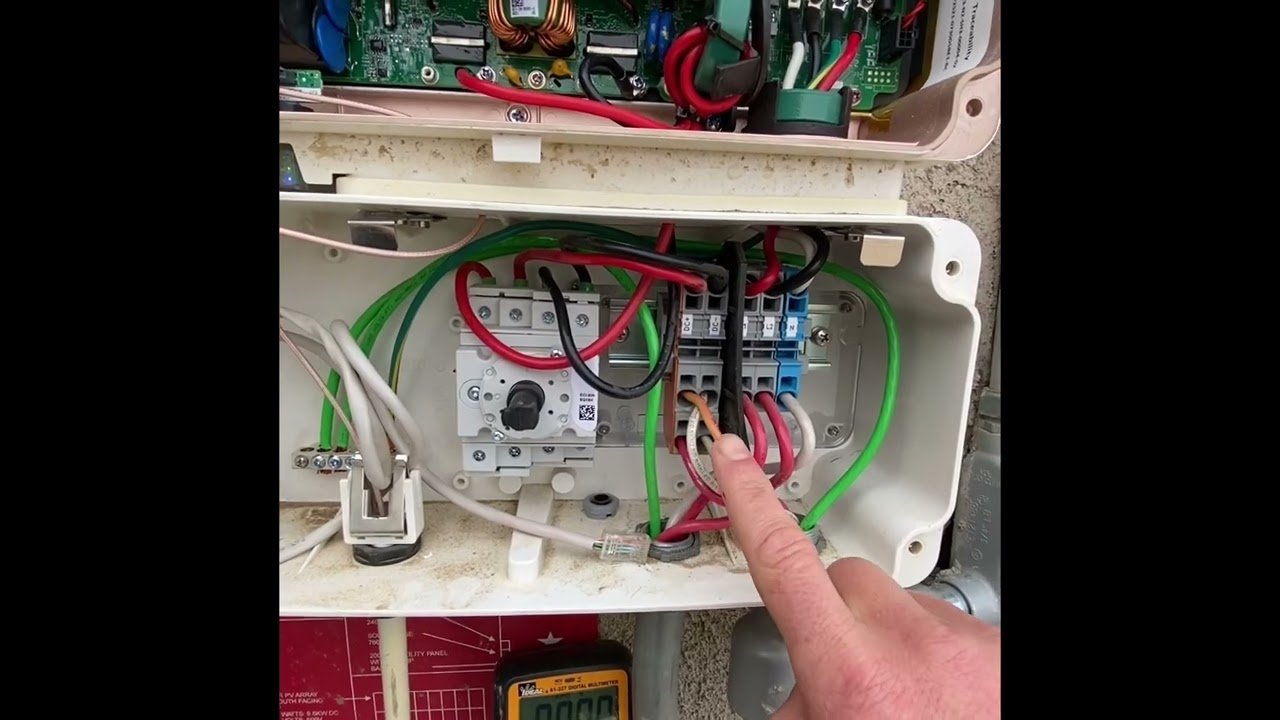
Image source: YouTube / Construction Hacks (YouTube thumbnail (fair-use with source credit))
The Production Meter Test: Your Most Reliable Number
Inverter lights tell you there’s a problem, but they don’t tell you how much power you’re losing. That’s where your production meter comes in. This is a separate meter, usually installed between the inverter and your main panel, that tracks total kilowatt-hours produced.
Here’s what to do:
- Find the production meter. It’s usually a small gray or white box with a digital display. Look near the inverter or your main breaker panel.
- Note the number on the display (in kWh). Write it down or take a photo.
- Wait exactly one hour, ideally during peak sun (10 a.m. to 2 p.m.).
- Read the meter again. Subtract the first number from the second.
For a 6 kW system, you should see roughly 4 to 6 kWh added in that hour on a clear day (depending on panel angle and temperature). If you see less than half that, something is wrong.
What if you don’t have a production meter? Many newer systems skip it and rely solely on inverter monitoring. That’s fine, but you need a different baseline.
Go into your monitoring app and compare today’s production to the same date last year. A 10% drop without a known reason (like tree growth or a new roof) is worth a call.
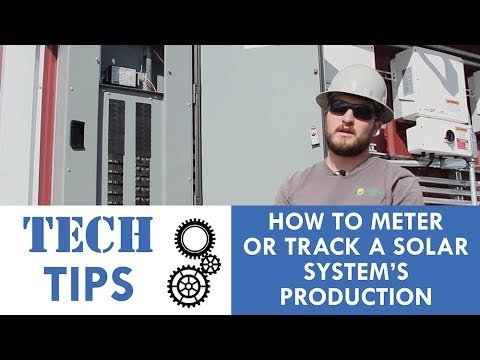
Image source: YouTube / The Solar Energy Channel by Paradise Energy (YouTube thumbnail (fair-use with source credit))
The “One Bad Panel” Scenario – How to Spot It Without Gear
If you have a string inverter, a single bad panel can drag the entire array down to that panel’s lowest-performing cell. This is the trickiest failure to find because the inverter still shows green (it’s working, just poorly). You need visual clues.
Here’s how to spot a dead panel without any tools:
- Look for visible damage. Walk the perimeter of your roof (from ground level with binoculars is safest). Cracks in the glass, discolored spots (hot spots), or bubbled delamination are clear signs.
- Check the temperature. On a sunny day, a working panel feels warm to the touch (the current flowing through it heats the glass). A dead or bypassed panel feels cooler. You can test this from a safe standing height using a non-contact thermometer if you have one.
- Watch for bird droppings. A thick layer of guano on one panel can block enough light to drop that panel’s output significantly. In a string system, that reduced output affects the whole string.
What should you do if you find one? For a single cracked panel under warranty (most panels carry 25 years), call your installer. They’ll replace it.
For a dirty panel, clean it with distilled water and a soft brush, no soap, no pressure washer.
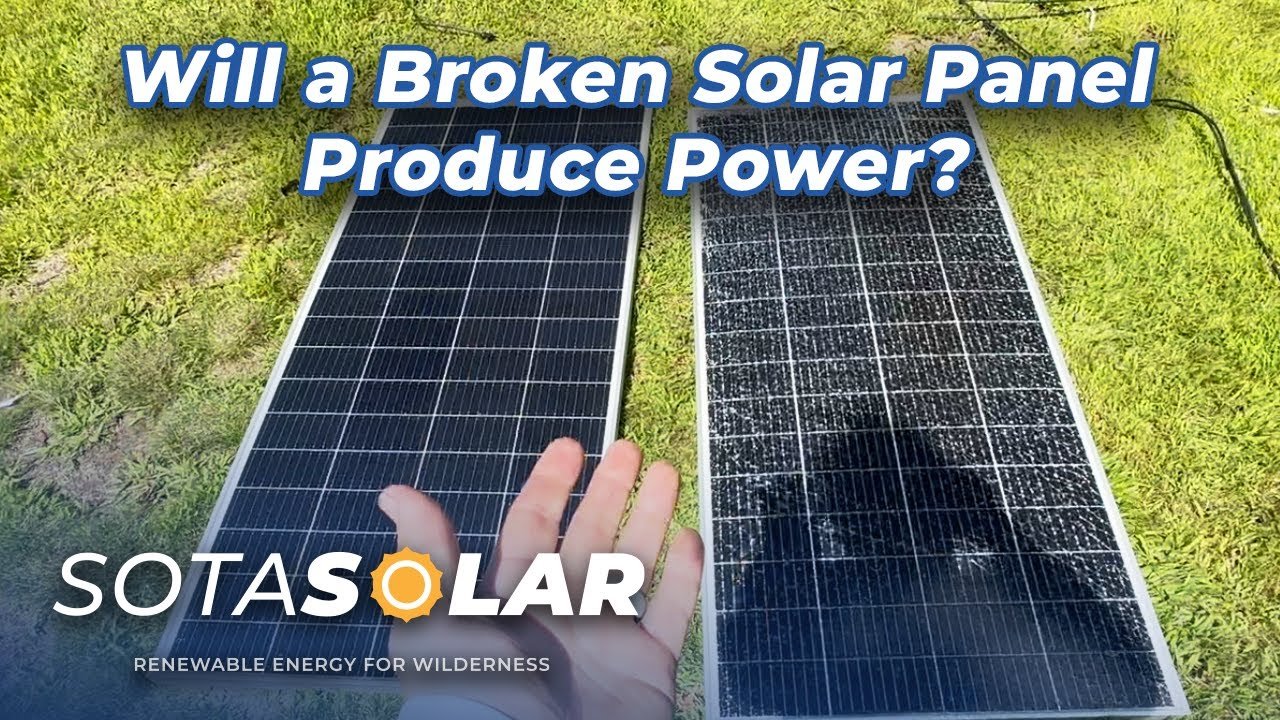
Image source: YouTube / SotaSolar (YouTube thumbnail (fair-use with source credit))
When the Monitoring App Lies to You
Image source: YouTube / Lightforce Solar (YouTube thumbnail (fair-use with source credit))
Your monitoring app is a powerful tool, but it’s not infallible. We’ve seen cases where the app shows “Normal, 4.2 kW” while the production meter sits at zero. The app reported what the inverter wanted to produce, not what it actually sent to the grid.
How does that happen? The inverter communicates wirelessly, but the signal can drop. The app then displays the last known good data or an estimated value based on weather data.
You get a false sense of security.
Two things to watch for:
- Delayed data. If your app shows “Last updated 12 hours ago,” you’re not seeing real-time production. Refresh or check the inverter directly.
- Estimated vs. actual. Some apps (especially older ones) use a model that predicts production from solar irradiance rather than measuring actual flow through the meter. Cross-check with your production meter or utility bill.
The golden rule: if the app and the meter disagree, trust the meter. The meter is a physical device that literally counts electrons. The app is a piece of software that can glitch.
If you don’t have a production meter, your utility bill is your next best cross-check. Compare your monthly kWh production (from the bill) to the same month last year. If it’s down by 15% or more with no obvious cause, call a professional.
Partial Shading and Tree Growth – The Sneaky Culprit
A tree that was a sapling when your panels went up is now casting shade across one corner every afternoon. You probably didn’t notice. The system still runs.
The inverter still shows green. Your bill just creeps up a few dollars each month.
Partial shading is the most common silent killer of solar production. Even a small shadow across one cell can drop that panel’s output by 50% or more. And if you have a string inverter, that drop pulls the whole string down to the shaded panel’s level.
The result? You lose power from every panel on that string, not just the shaded one.
How do you check for it? Walk around your property during peak sun hours (10 a.m. to 2 p.m.) and look at your roof from ground level. Note any new shadows from trees, chimneys, satellite dishes, or nearby buildings.
If you see a shadow that wasn’t there a year ago, that’s your culprit.
What can you do? If it’s a tree branch, trim it back. If it’s a neighbor’s structure, you may need to accept the loss or, in extreme cases, consider micro-inverters or power optimizers to isolate shading.
The different panel configurations matter here; understanding the types of solar panels available can help you decide if an upgrade is worthwhile.
The Ten-Minute Reset Sequence (Before You Call Anyone)
Before you pick up the phone, try this reset. It costs nothing and fixes a surprising number of issues. Inverters can glitch just like a router.
A simple power cycle often clears the error.
Here’s the safe reset procedure:
- Turn off the AC disconnect. This is the switch on the wall between the inverter and your main panel. Flip it to OFF. If there’s no disconnect, flip the inverter’s dedicated breaker in your main panel to OFF.
- Wait 60 seconds. This lets the internal capacitors discharge completely. Set a timer.
- Turn the AC disconnect back ON. Wait for the inverter to power up. Most inverters take 2 to 5 minutes to run a startup sequence.
- Check the lights. A solid green after 5 minutes means the reset worked. If you still see red or no lights, the problem is not a software glitch.
When does this not help? If the inverter was showing no lights at all (dead), a reset won’t revive a dead unit. If the error code is something like “Ground Fault,” a reset may clear it temporarily, but the underlying issue will return.
Call your installer for those.
Per manufacturer guidelines from leading inverter brands, a reset is the first official troubleshooting step. The U.S. Department of Energy’s Solar Energy Technologies Office recommends trying a restart before scheduling a service call.
Common Mistakes That Waste Your Time and Money
We see the same errors over and over in homeowner forums and service reports. Avoid these and you’ll save yourself hours of frustration and unnecessary repair bills.
- Trusting the inverter light without checking the meter. A green light means the inverter is on, not that production is normal. A failed bypass diode or a severely shaded string can still produce a green light with output cut in half.
- Cleaning panels with a pressure washer. The high-pressure spray can force water under the frame seals or crack the glass. Use a hose with a soft spray nozzle and a long-handled brush.
- Ignoring the monitoring app for months. A 10% drop over a year is normal degradation. A 30% drop over a month is a problem. The sooner you catch it, the less money you lose.
- Assuming a tripped breaker is “just a fluke.” If your inverter breaker trips repeatedly, it’s a sign of a ground fault, a short, or an overloaded circuit. Reset it once. If it trips again, call a pro.
- Trying to open the inverter yourself. Inverter enclosures contain high-voltage DC that can arc and kill. They also void warranties if tampered with. Leave the case closed.
Decision Guide: What to Do Based on What You See
Use this simple if/then branch based on what you observe. Find your scenario and follow the path.
Branch A: Zero production, no lights on inverter
- Check the AC breaker. Flip it OFF, then ON. Wait 5 minutes.
- Check the DC disconnect (if present). Make sure it’s in the ON position.
- If still no lights: Your inverter is likely dead. Call your installer. Most inverters carry a warranty but expect some labor cost for replacement after the first few years.
Branch B: Low production, inverter shows amber/red
- First, run the ten-minute reset. Clear the error.
- If amber returns: Check for new shade or dirt on the panels. If clean and unshaded, call your installer. The inverter may be failing internally.
- If red returns with an error code: Look up the code in your inverter manual or call support. Common codes include ground faults, arc faults, and grid voltage anomalies.
Branch C: Normal production but high electric bill
- Compare this month’s consumption to the same month last year. If consumption is flat, but the bill is up, your utility rates have changed.
- Check your net metering statement. Some utilities credit you at different rates for power you export versus power you consume.
- If consumption rose: You may have added a new appliance, a pool pump, or an electric vehicle. The panels are working fine.
Branch D: Intermittent or seasonal drops
- Compare production month-over-month on the same calendar date. A drop in December is normal (shorter days, lower sun angle). A drop in July is not.
- Check for seasonal shading from deciduous trees that only shed leaves in autumn (shade in summer, sun in winter).
- If the drop is consistent every afternoon: Check for afternoon shading from a chimney or west-side tree.
When to Call an Installer vs. When to DIY
Some problems you can fix yourself. Others require a licensed solar professional. Here’s how to decide.
You can handle yourself:
- Cleaning panels with water and a soft brush
- Trimming tree branches that cause shade
- Performing the ten-minute reset
- Checking breaker positions and resetting once
- Visual inspection for cracks or damage from the ground
Call an installer for:
- Any error code you cannot clear
- Repeated breaker tripping
- No lights on a known-good inverter after reset
- Visible wiring damage or burning smell
- Broken glass (can be sharp and high-voltage)
- Inverter replacement, even under warranty
- Any work on the DC wiring side
| Situation | DIY Safe? | Who to Call |
|---|---|---|
| Dirty panels | Yes | No one |
| Tripped breaker (once) | Yes | No one |
| Inverter shows red | No | Installer |
| Cracked panel glass | No | Installer |
| High bill with full production | Yes (check consumption) | Utility company |
| System completely off | No (after reset fails) | Installer |
One more thing: never climb onto your roof to inspect panels yourself unless you have proper safety equipment and experience. A fall is far more expensive than a service call.
Setting Up a Monthly Sanity Check (So You Catch Problems Early)
You don’t need to climb on your roof every week. Just three checks a month will catch 95% of failures before they cost you real money. Put a recurring reminder on your phone for the first sunny day of each month.
Check 1: Read the inverter lights. Walk to the inverter. Look at the indicator. Is it solid green?
Good. Any other color? Follow the decision guide above.
Takes ten seconds.
Check 2: Compare production numbers. Open your monitoring app or walk to the production meter. Note the kWh reading for the month so far. Compare it to the same date last month.
A 10% drop without new shade or weather change means something is wrong.
Check 3: Look at your roof from ground level. Walk around the house with binoculars. Check for new shadows from tree growth, visible cracks, or bird droppings concentrating on one panel. If you see a problem, address it early.
That’s it. Three checks, five minutes total. Doing this monthly can save you hundreds of dollars in lost production over a year.
Understanding the main components of a solar panel makes these checks even quicker, you’ll know exactly what each part is supposed to do.
Frequently Asked Questions
How long does a solar panel take to start producing after installation?
Once the inverter is turned on and the sun is above the horizon, panels begin producing within seconds. The inverter usually takes 2 to 5 minutes to synchronize with the grid.
Can a solar panel work without an inverter?
No. The DC power from panels must be converted to AC for your home to use. Off-grid systems still need an inverter for standard appliances.
What does a flashing green light on the inverter mean?
A flashing green light usually means the inverter is in standby mode. This is normal during early morning, late afternoon, or when the grid is down.
How often should I clean my solar panels?
In most climates, once or twice a year is enough. Clean more often if you live in a dusty area, near a construction site, or under heavy bird traffic.
Does rain clean solar panels sufficiently?
Rain removes loose dust but won’t remove bird droppings, pollen, or hard water spots. A manual clean every 6 to 12 months is still recommended.
When should I call a professional instead of troubleshooting myself?
Call an installer if you see red error codes that won’t clear, repeated breaker trips, signs of electrical burning, or zero production after a reset. For more complex system decisions, a solar panel buying guide can help you evaluate your options.
That wraps up the complete diagnostic guide. You now have a clear sequence of checks, a decision tree for every common scenario, and a simple monthly routine to stay ahead of failures. Your panels are working?
Great. If not, you know exactly what to do next.